How to fund your expense wallet
Move money into an expense wallet so its expenses can be paid.
Duplo Dashboard · How-to guides · Nigeria only · Last updated
Funding your expense wallet on Duplo is a simple process designed to support seamless financial operations.
Serving as the central hub for managing payments and expenses, your wallet enables you to streamline transactions efficiently. This guide outlines the steps to fund your wallet, ensuring your business runs smoothly without any disruptions.
Let’s dive in!
Steps
-
Login to your Duplo Dashboard
-
Click on Expense then select Accounts.
-
Click on Manage Expense Account then select the expense account you want to fund.
-
Once selected you will see a wallet assigned to that expense account
-
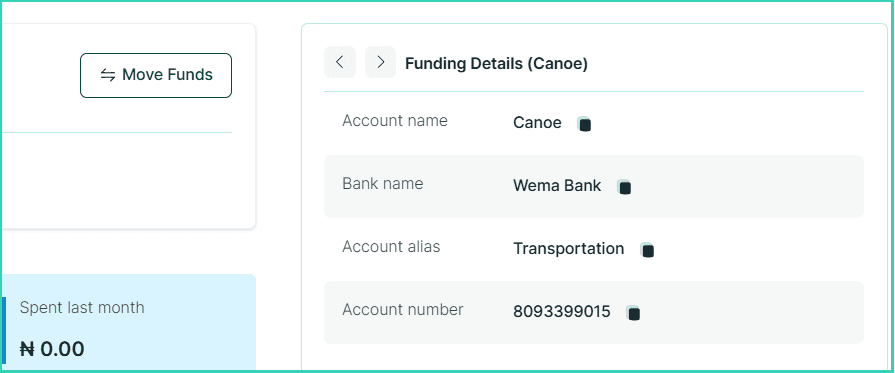
Transfer funds to the virtual account number displayed for your expense wallet as shown below:
-
Once the transfer is successful, your wallet balance will be updated.
Congratulations! You've successfully funded your expense wallet.
Video guide
Watch the video below for a step-by-step walkthrough on how to fund your expense wallet/Account on the platform.
Was this article helpful?
Related articles
Still need help?
Send a ticket to our support team and they will get back to you.