How to make a scheduled payment
Set up a payment to go out automatically on a date you choose.
Duplo Dashboard · How-to guides · Nigeria only · Last updated
Scheduled payments let you set up transactions in advance and choose when funds are sent to your vendor, supplier, or service provider.
With scheduled payments, you can plan ahead, manage cash flow effectively, and ensure timely payments without manually processing them on the due date. This guide will help you stay organized, maintain proper documentation, and keep your payment operations running smoothly. Let’s get started!
Steps
-
Log in to Duplo Dashboard
-
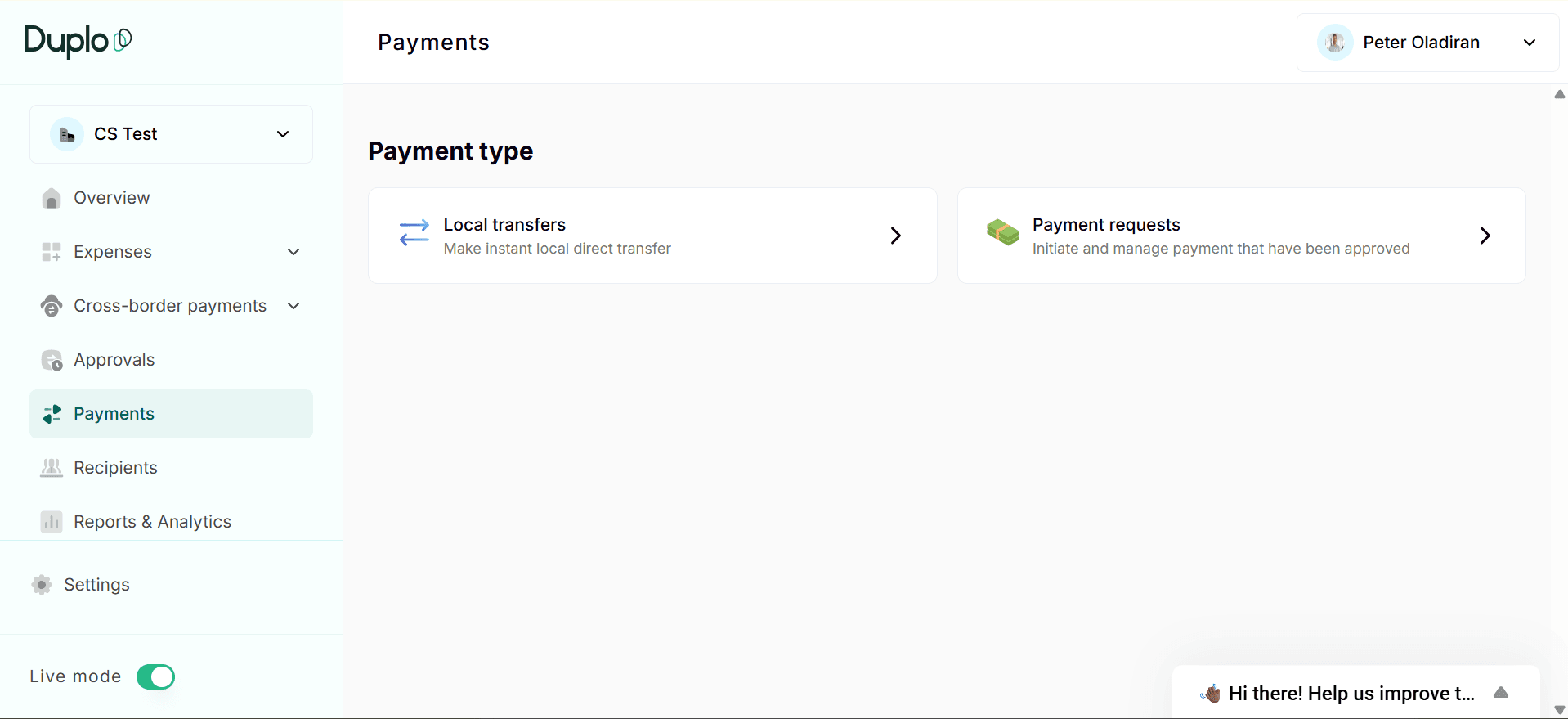
Click on “Payments”.
-
Select Local transfers as shown below:
-
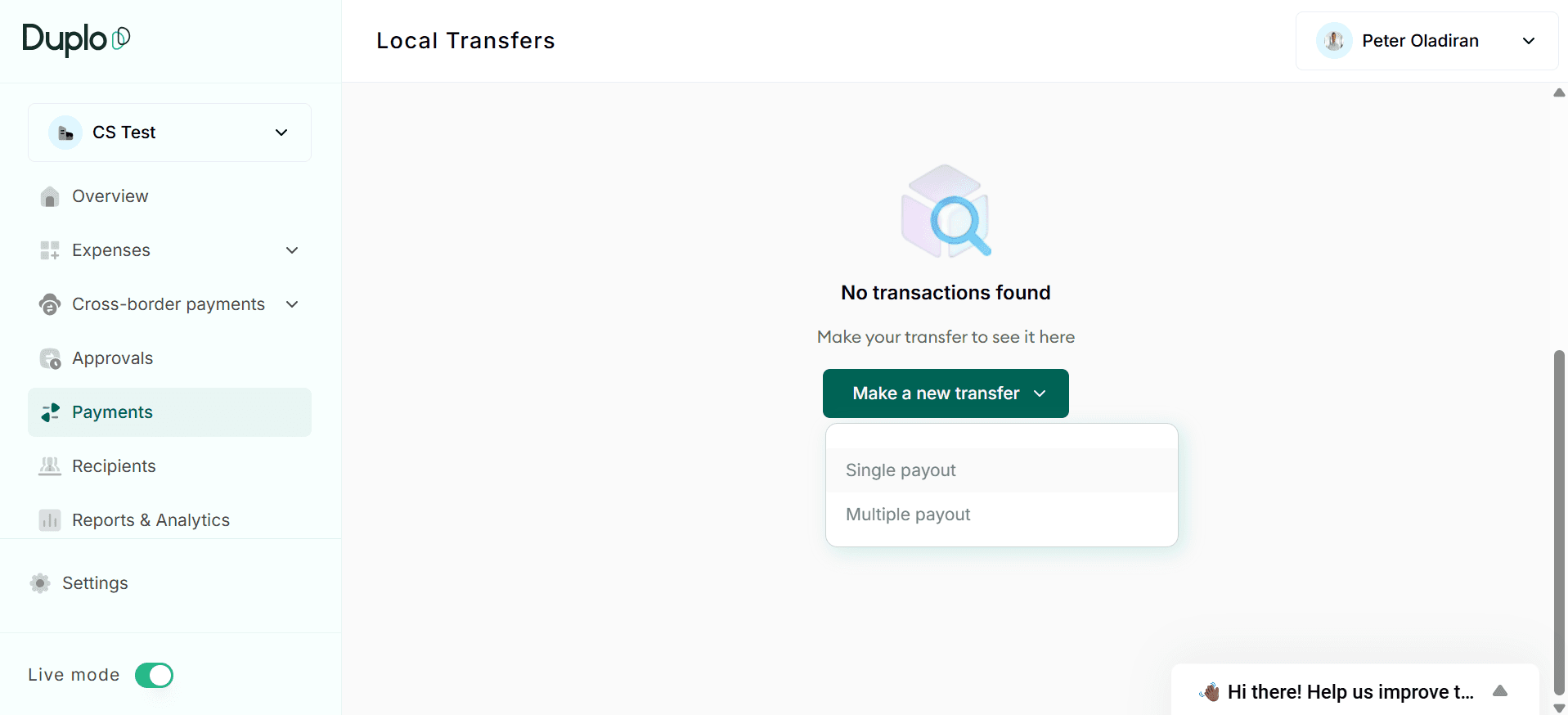
Click on “Make new transfer” and select “Single payout” as shown below:
-
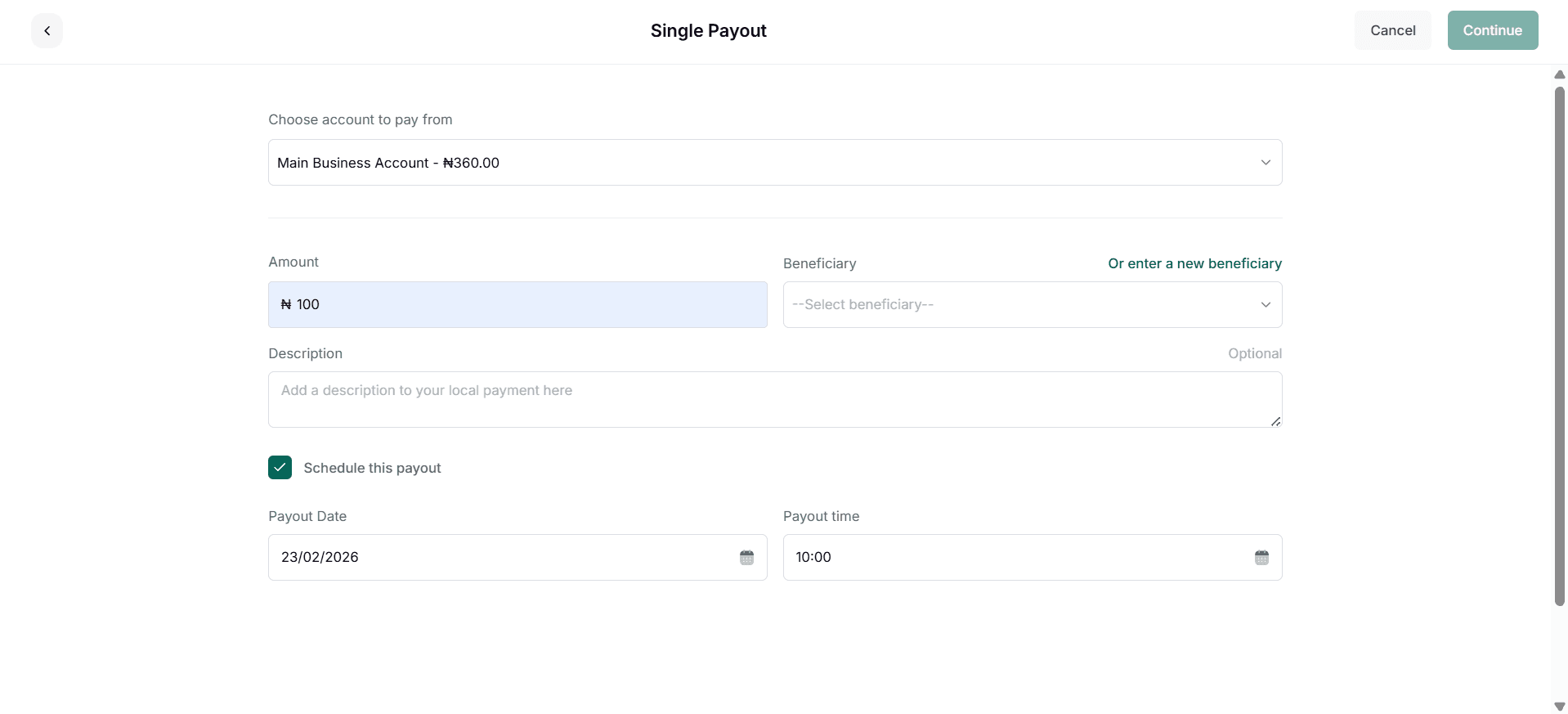
Select your payment source from these options:
1. Business wallet
2. Connected Banks (Direct Debit)
-
Input the rest of the required information:
1. Amount
2. Beneficiary: select a beneficiary or create a new one by clicking on “Enter a new beneficiary.”
3. Add description
-
Check the box beside “schedule this payment” to set a date and time for your payment.
-
Once done, click on “continue” as shown below
-
A modal will appear to confirm the transaction. Click "Complete transaction", finalize the process using your preferred authentication method.
-
You can view all your scheduled payouts under the Scheduled tab in Payments > Local Transfers.
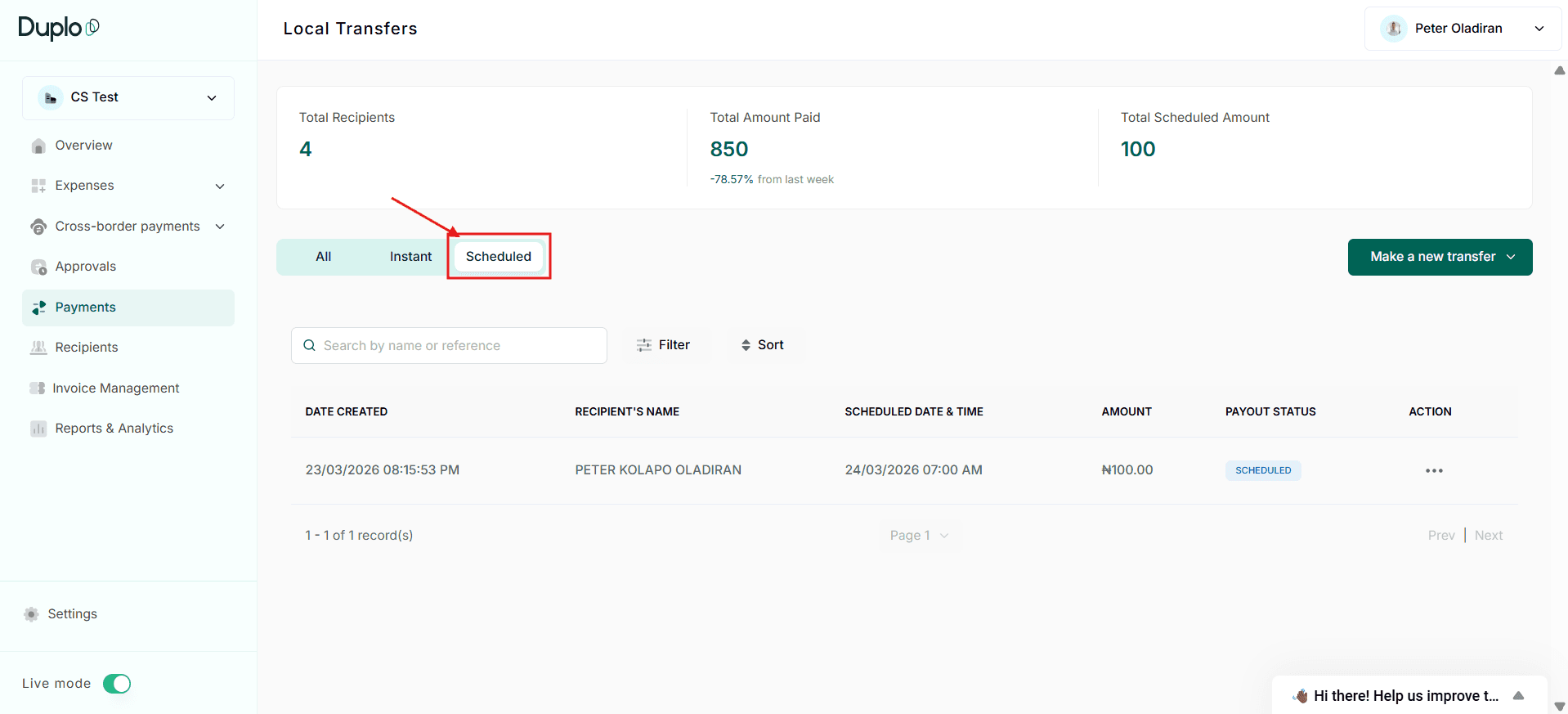
Congratulations! You have successfully created a scheduled payout.
Frequently asked questions
Was this article helpful?
Related articles
Still need help?
Send a ticket to our support team and they will get back to you.