How to make multiple local payments
Send several local transfers in one go.
Duplo Dashboard · How-to guides · Nigeria only · Last updated
The Multiple Payment feature allows you to initiate and process several payments in one flow, helping you save time and reduce repetitive steps.
By following this process, you can efficiently manage payments to multiple vendors or beneficiaries at once while maintaining accurate records within your account. This guide will walk you through how to create, review, and complete multiple payments successfully. Let’s get started!
Steps
-
Log in to Duplo Dashboard
-
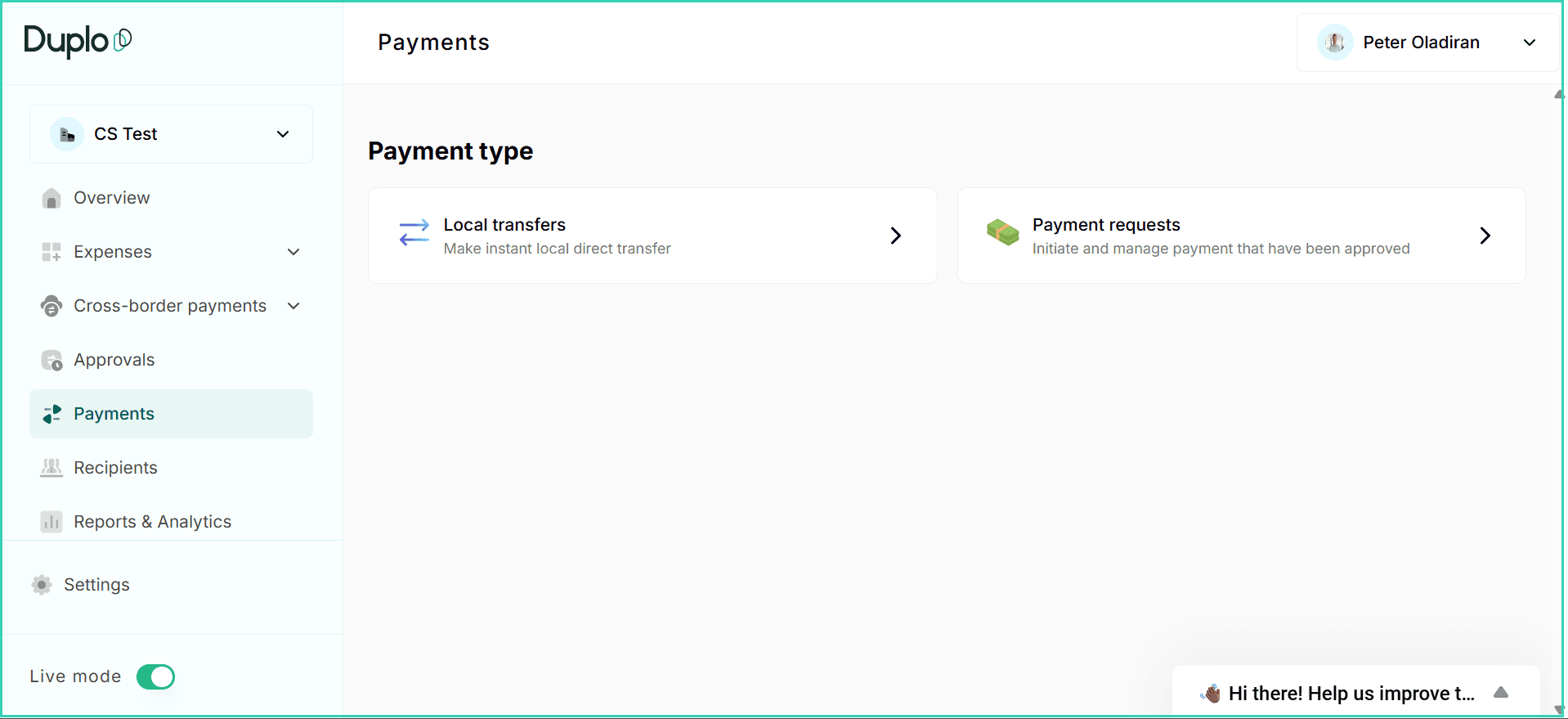
Click on “Payments”
-
Select Local transfers as shown below:
-
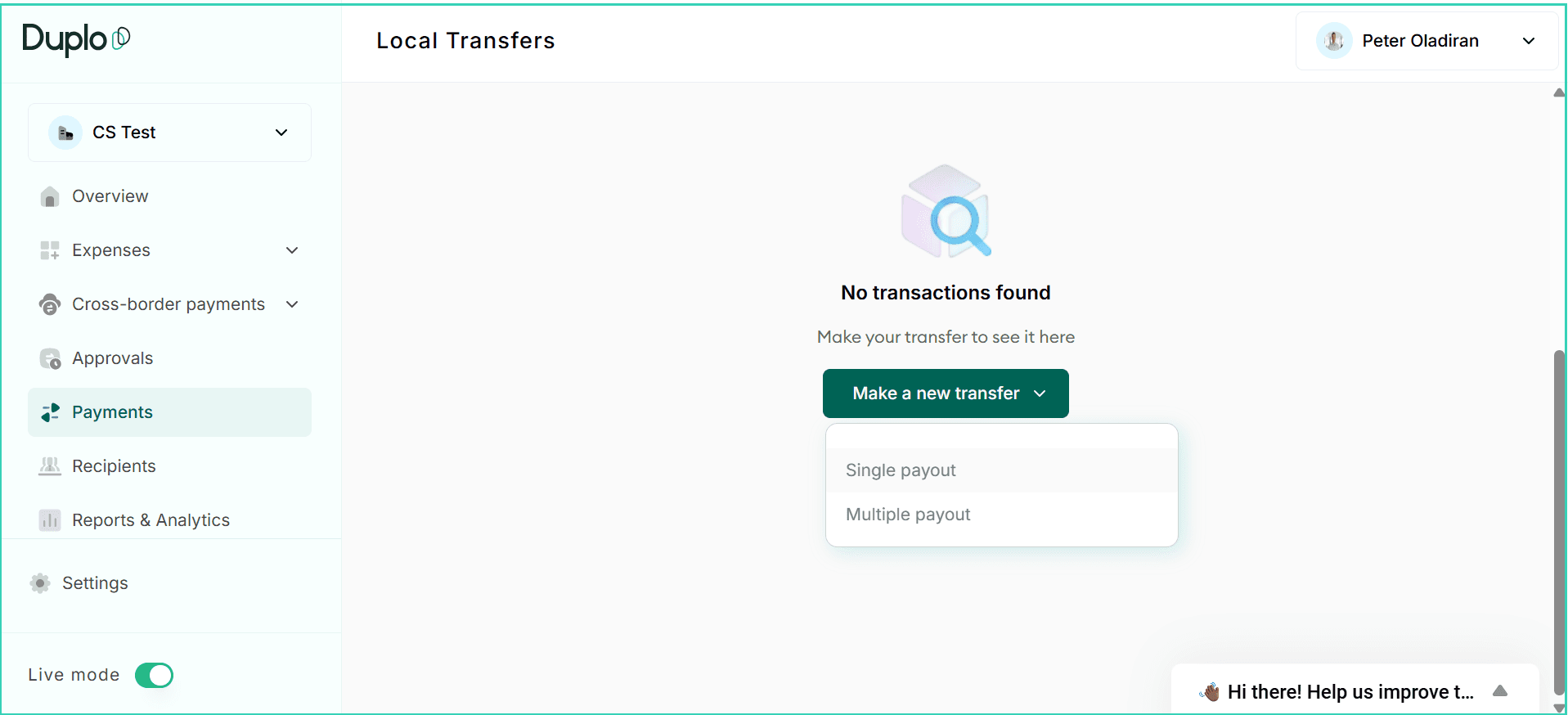
Click on “Make new transfer” and select “Multiple payout” as shown below:
-
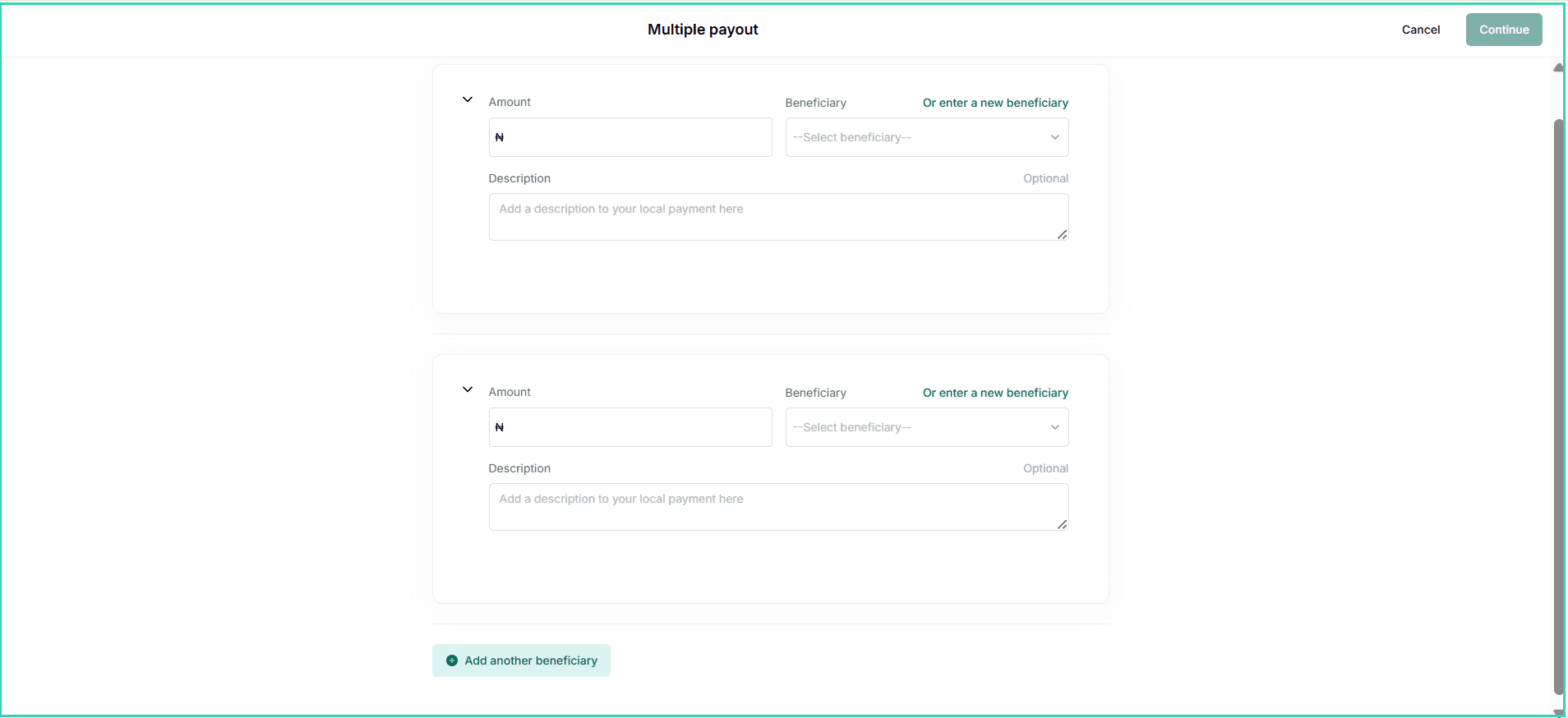
Input the required information, such as:
- Amount
- Beneficiary: select a beneficiary or create a new one by clicking on “Enter a new beneficiary.”
- Description
-
Click Add another beneficiary to add more beneficiaries (up to 50), then click Continue, as shown below:
-
You will be redirected to a page to review the payout and select the account to pay from.
-
Once satisfied with all the details, click “Start bulk transfer”
-
Finalize the process with your preferred authentication method and click “Complete transaction”
Congratulations! you have just made multiple payouts on Duplo.
Frequently asked questions
Was this article helpful?
Related articles
Still need help?
Send a ticket to our support team and they will get back to you.