How to set up direct debit
Link your business bank account so payments can be debited from it directly.
Duplo Dashboard · How-to guides · Nigeria only · Last updated
Direct debit links your business bank account to Duplo Dashboard, so payments can be debited from it directly. You won't need to fund your business wallet before each payment, which reduces late payments. This guide walks you through setting up direct debit.
Steps
-
Log in to Duplo Dashboard
-
Click on “Settings” on the dashboard menu
-
Click on Business Bank Account
-
Click on “Link Bank Account”
-
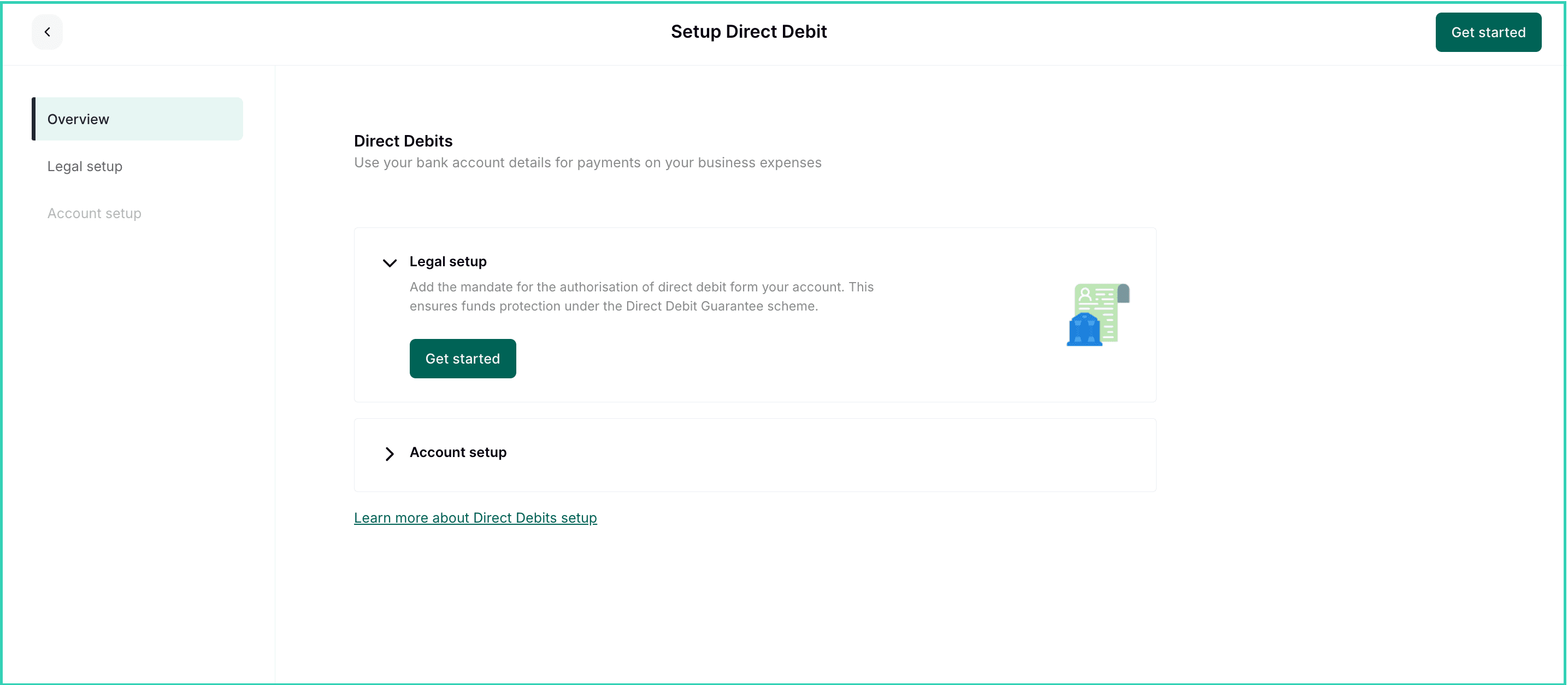
Click on "Get Started" under Legal Setup or "Get Started" on the top right. As shown below:
-
Select either Sole Signatory or Multiple Signatory and click on "Continue". As shown below:
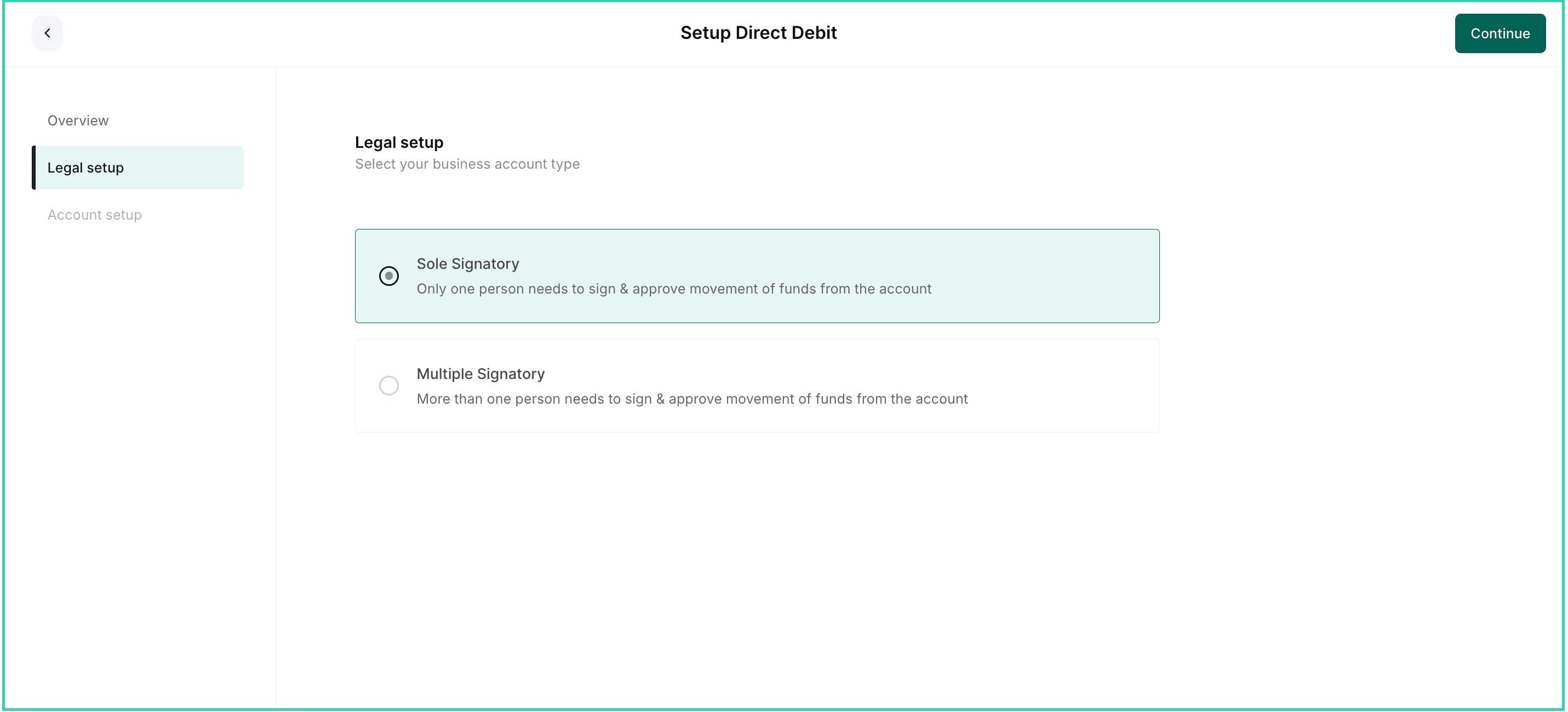
Tip: The difference is that a multiple-signatory account requires more than one person to approve transactions.
-
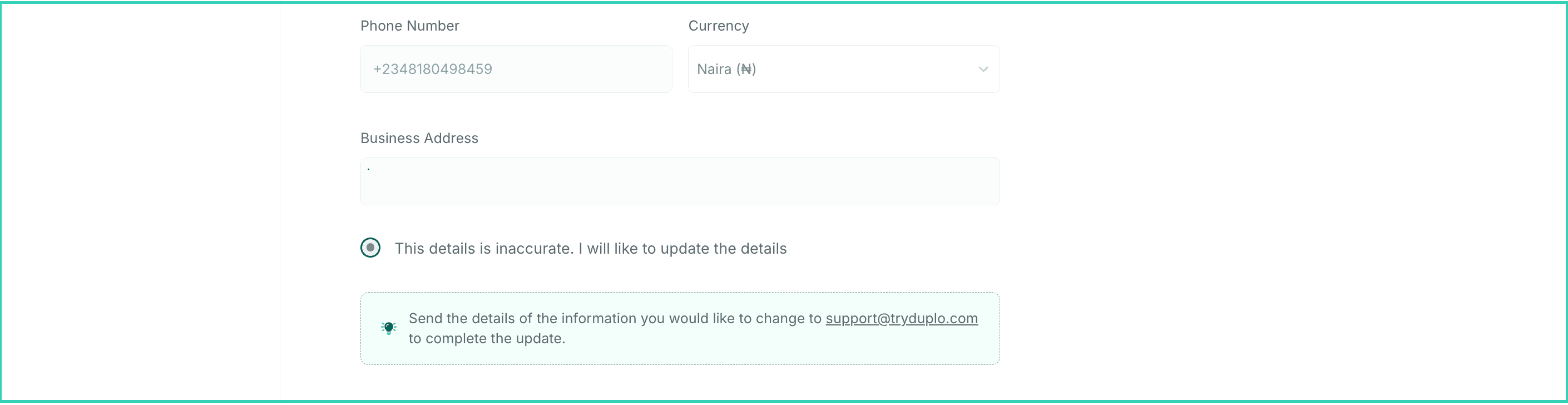
You will see a page displaying your bank and business details. Review to ensure all information is correct.
-
If all the details are correct, click "Continue". If not, select the radio button "This detail is incorrect" for further instructions. As shown below:
-
After clicking "Continue", what you see depends on your account type:
-
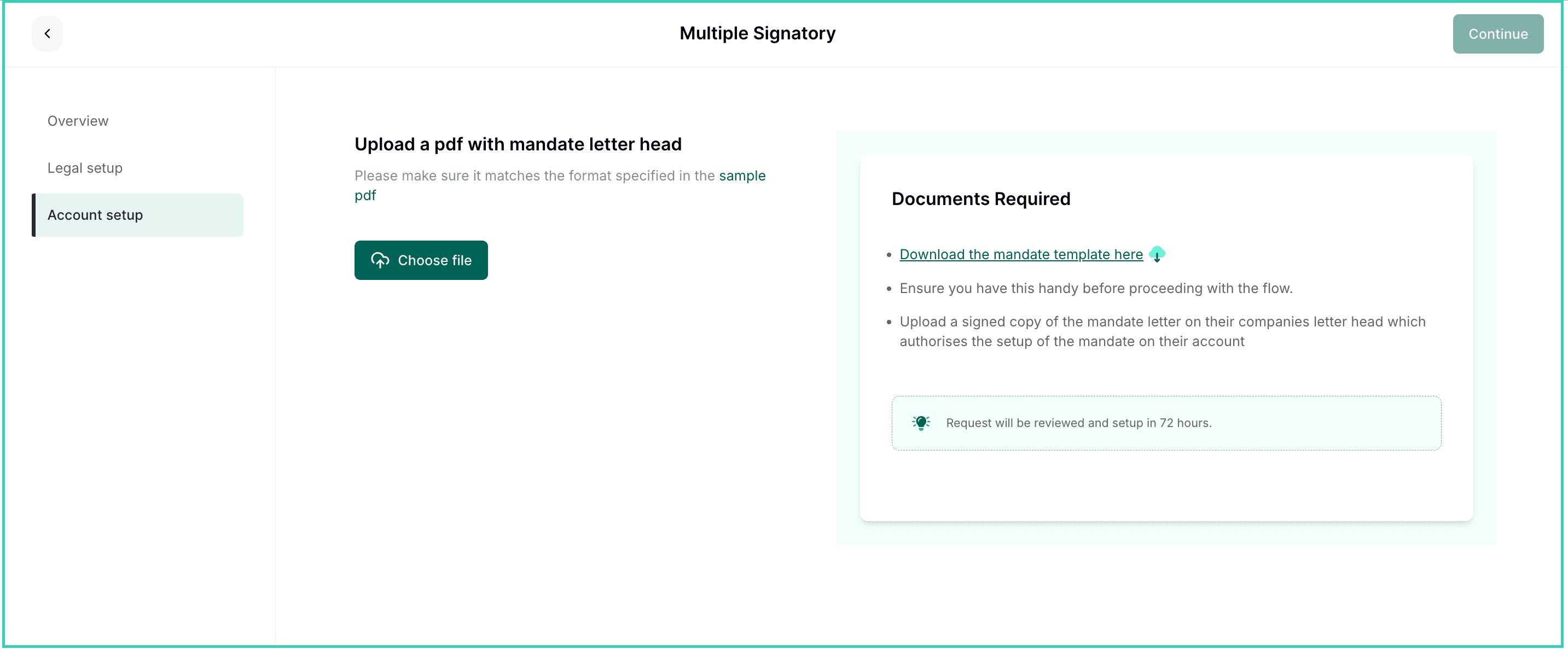
Multiple signatories: you'll first be asked to upload a mandate. Follow the on-screen instructions, as shown below. The terms and conditions appear next.
-
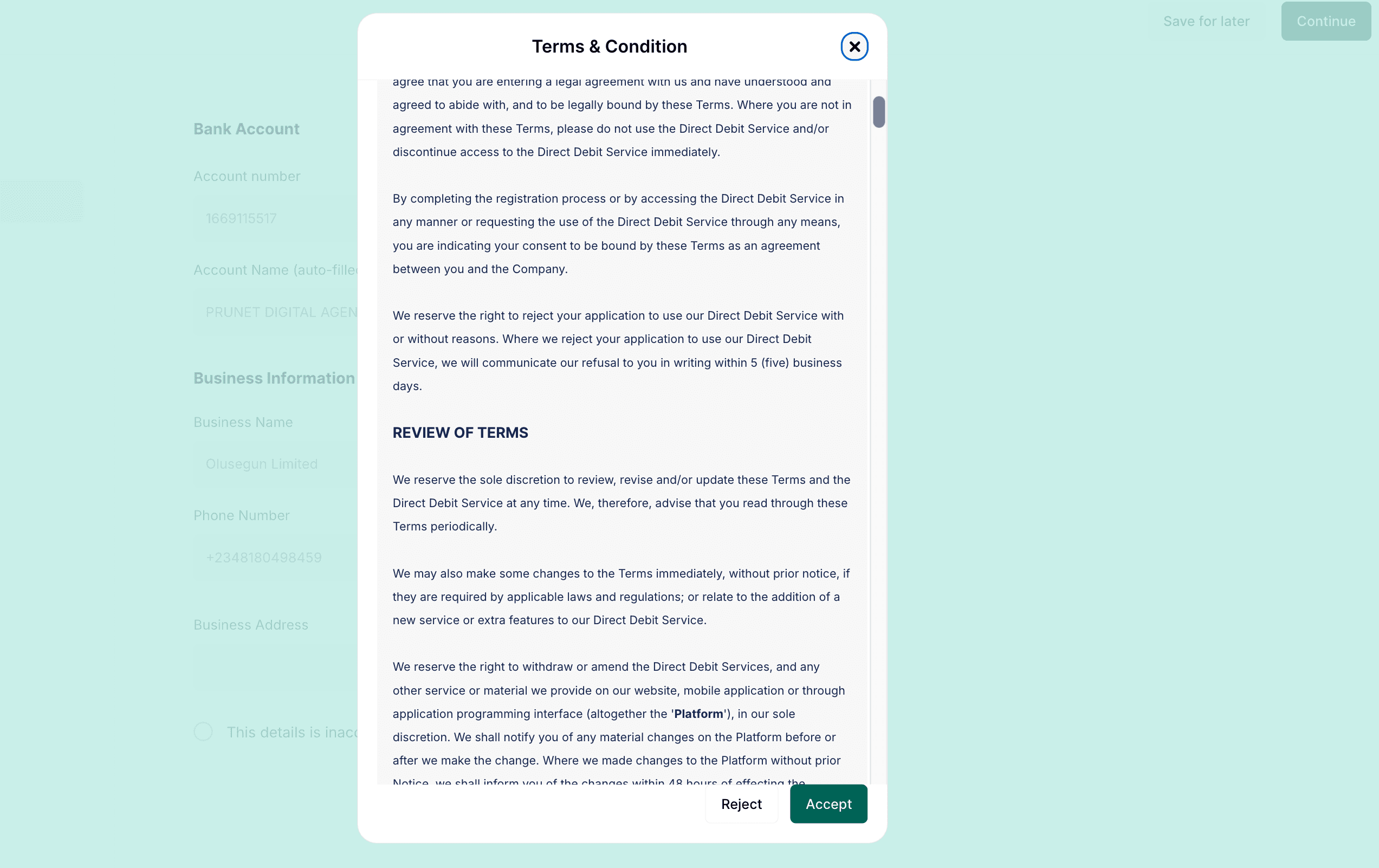
Sole signatory: our terms and conditions appear. Read them carefully, then accept, as shown below.
-
-
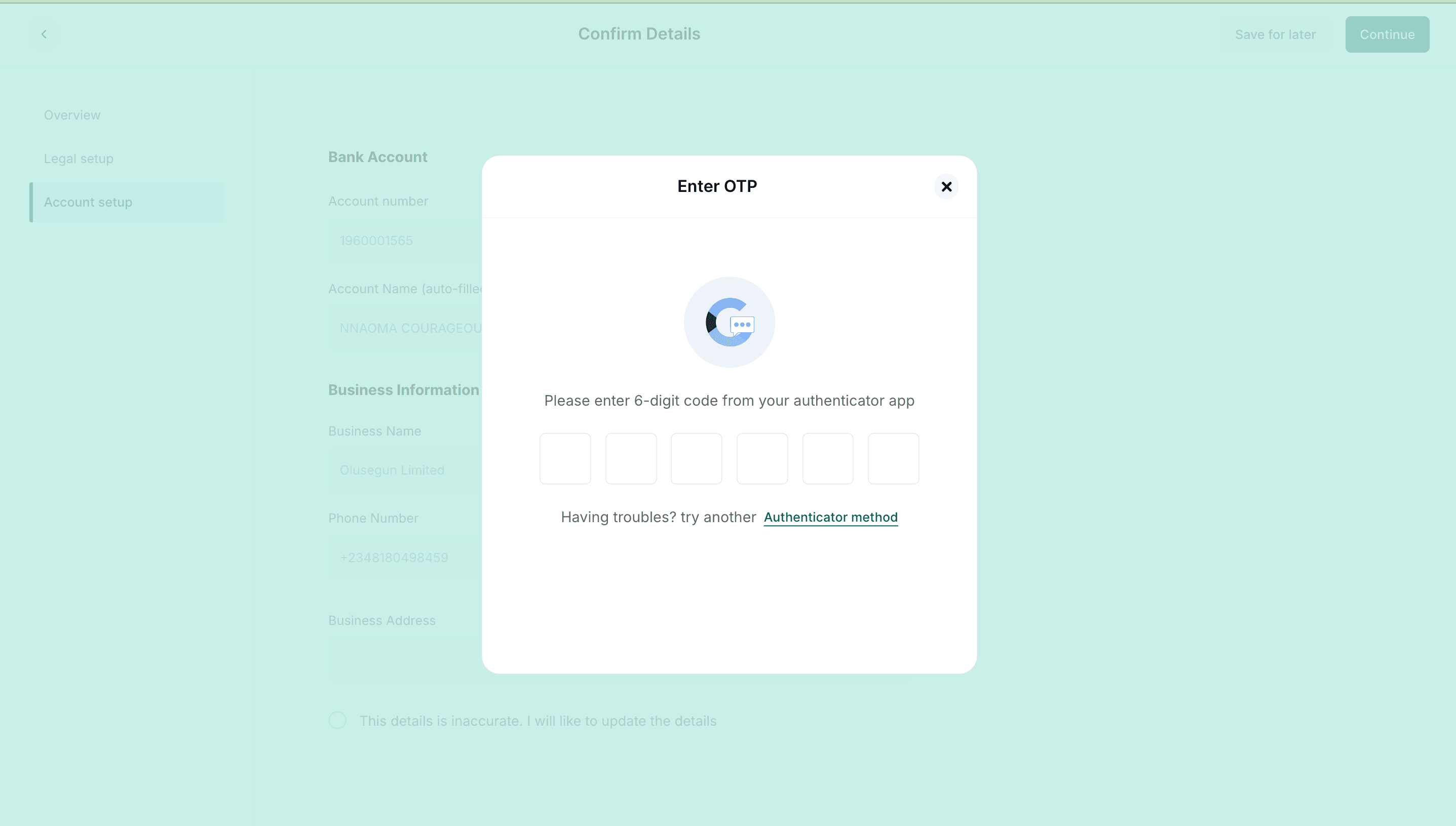
Confirm your action by entering the OTP sent to your preferred authentication method.
-
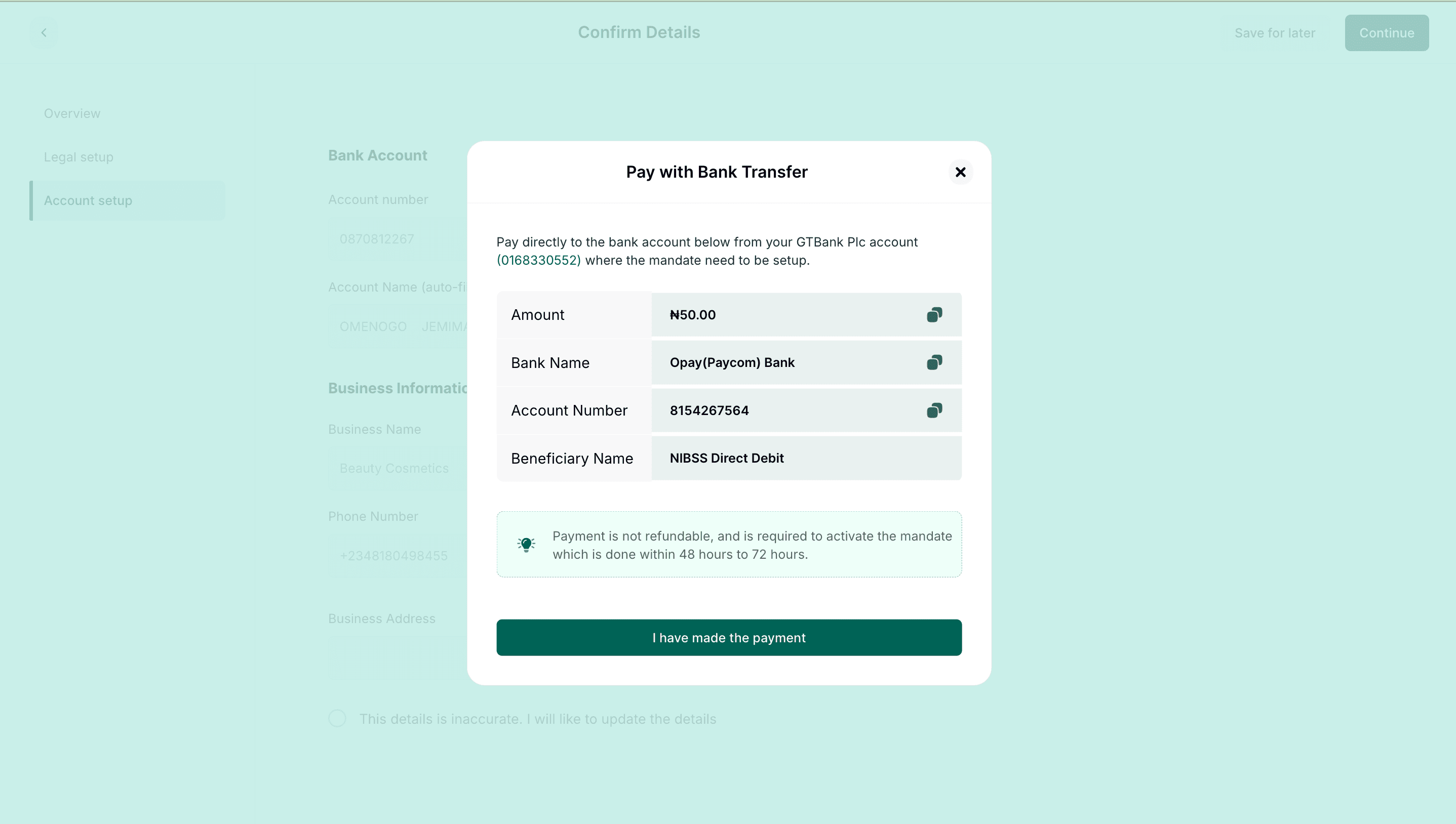
A screen will appear as shown below. Make a payment of 50 naira (if your bank app doesn't allow amounts below 100, use 100 naira) to the account number displayed. Please note that you must make this payment from the same bank account you are trying to set up.
-
When you've completed the payment, click "I have made the payment."
Congratulations, you have just set up a direct debit on your account. Please look out for confirmation emails.
Was this article helpful?
Related articles
Still need help?
Send a ticket to our support team and they will get back to you.