How to swap funds to foreign currencies
Convert money in your wallet to another currency.
Duplo Dashboard · How-to guides · Nigeria only · Last updated
International payment is a major feature in Duplo Dashboard. Swapping funds to foreign currencies, such as USD, is a simple process. This ensures you don't experience delays or stress when paying your international vendors, making your financial and business operations seamless. This guide outlines the steps to swap your Naira to foreign currencies on the Duplo platform.
NB. You need to have funded your business wallet to do this action, as that is the only means for swapping funds from Naira to other currencies. Learn how to fund your business wallet.
Steps
-
Login to your Duplo dashboard
-
Click on Cross-border payments and select FX Exchange on the Menu
-
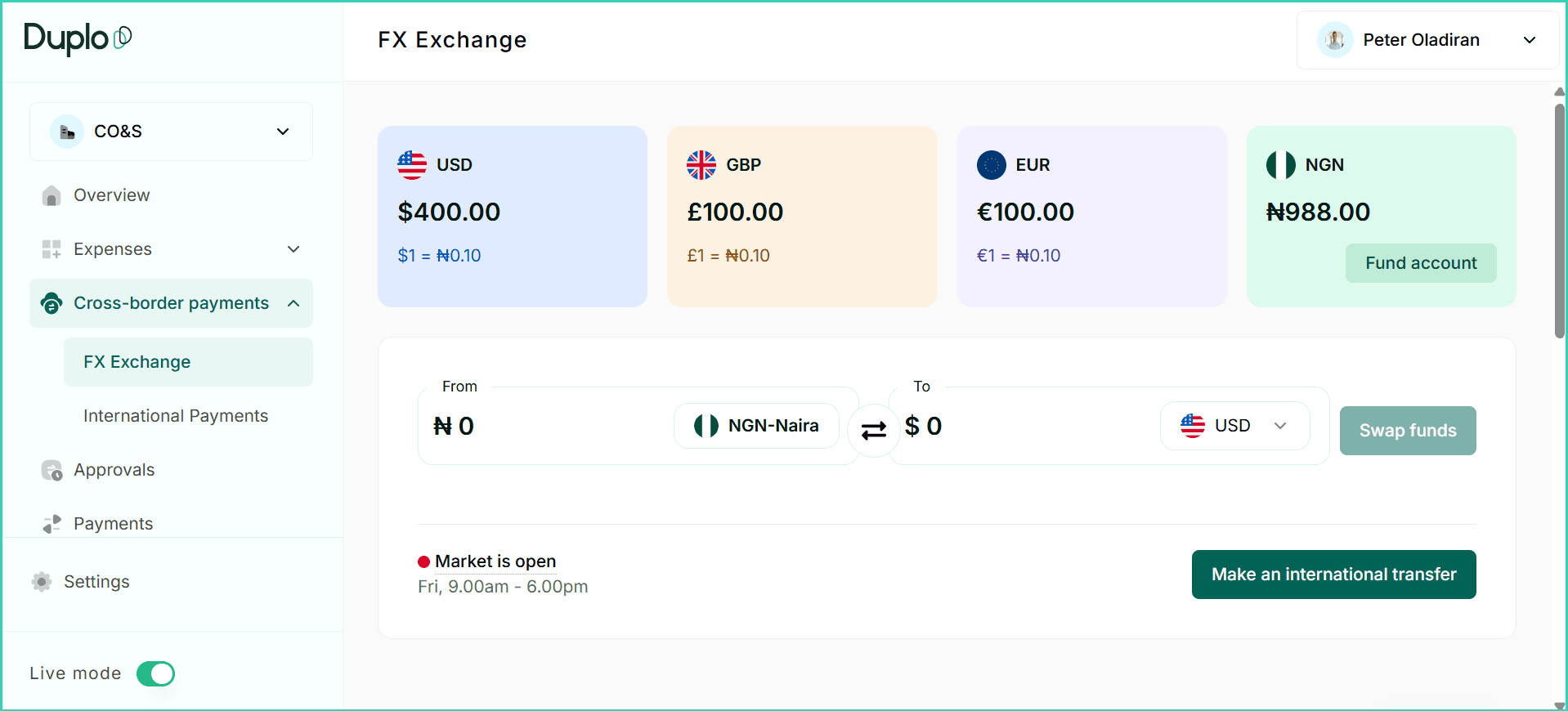
You would see the following view below. Click on your preferred currency, e.g. USD, GBP, EURO
-
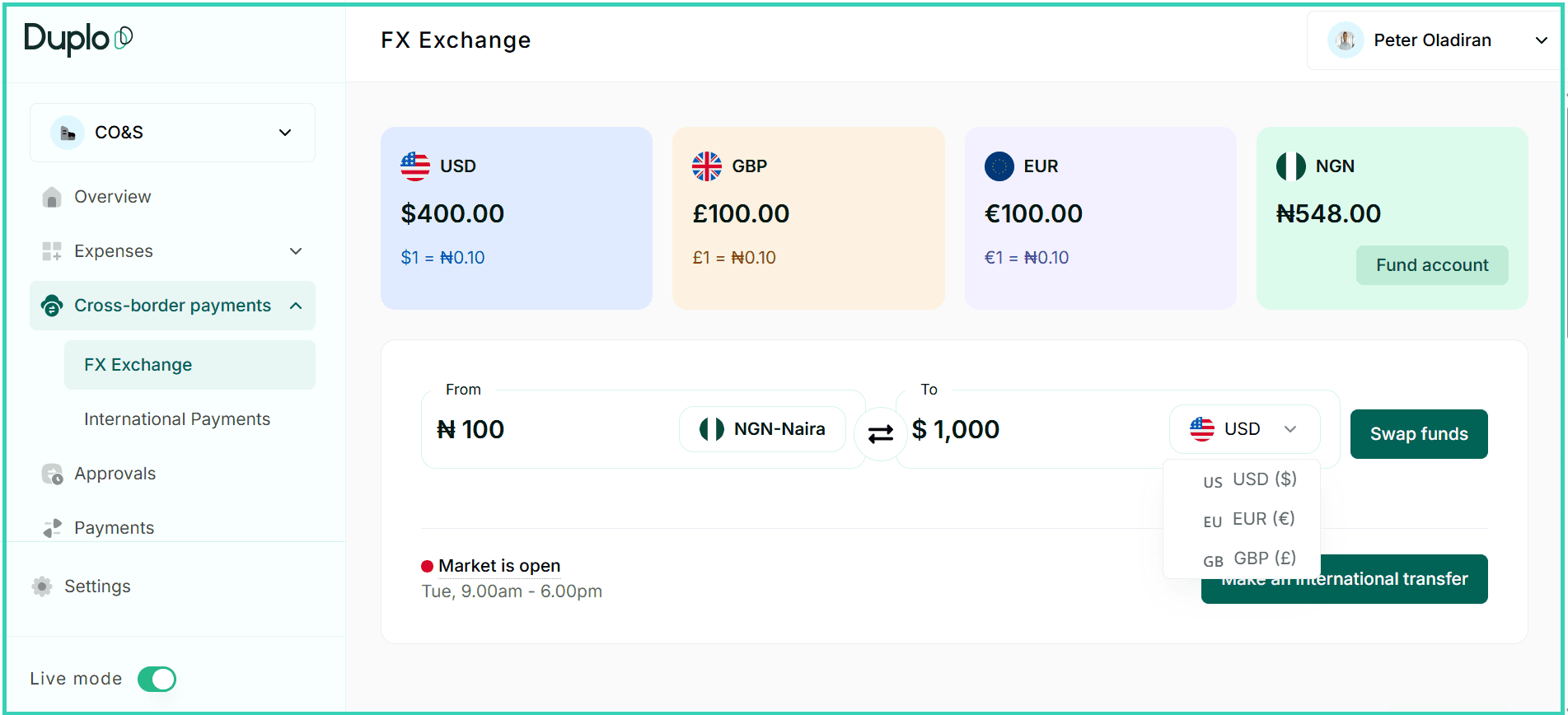
Enter the amount you want to swap in Naira. The equivalent amount in your selected foreign currency will automatically display as shown below:
-
Click on Swap Funds
-
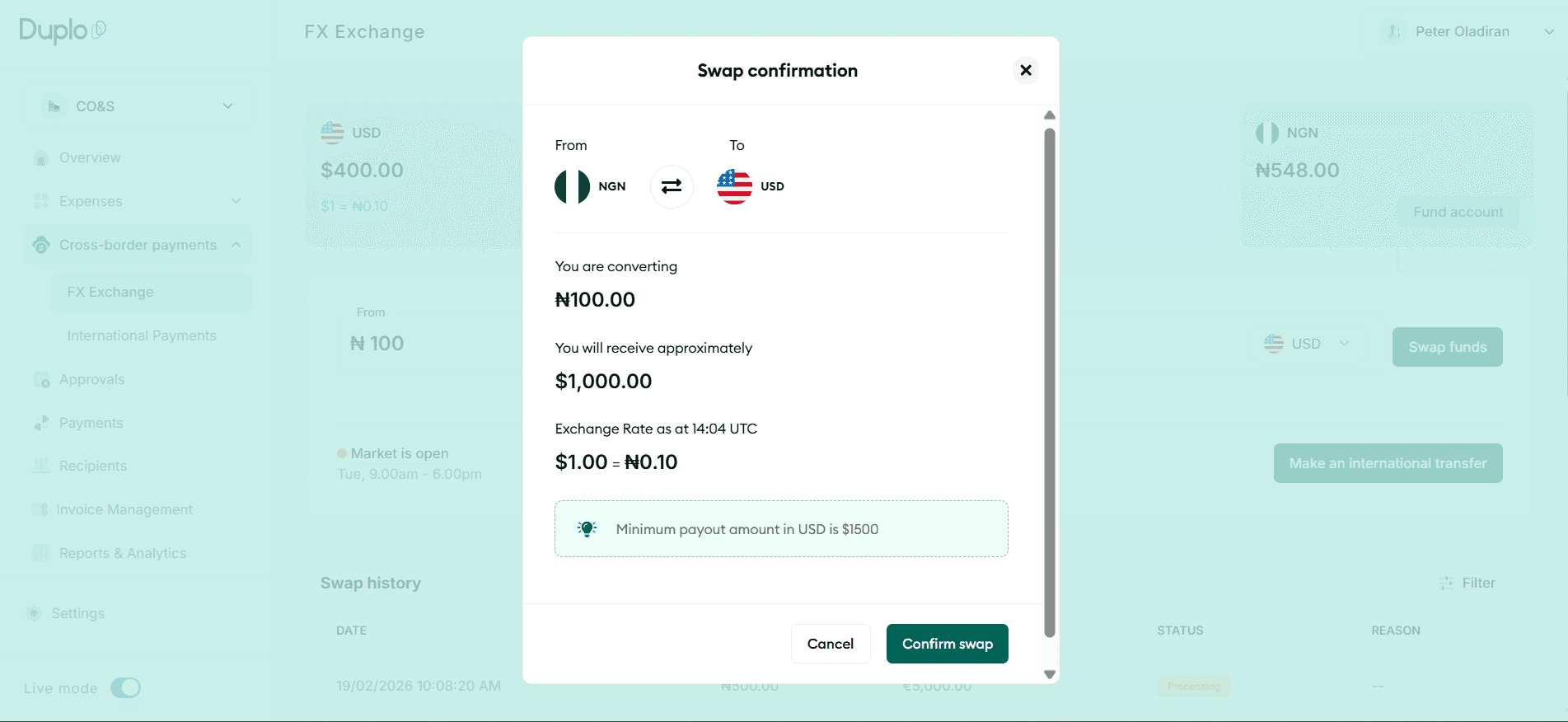
Review the swap request on the next modal and confirm the following details are correct as shown below:
-
The debit wallet (usually NGN) and the credit wallet (e.g., USD, GBP, or EUR)
-
The applicable exchange rate
-
The debit amount in Naira
-
The credit amount in the selected foreign currency
-
-
Click “Confirm swap” to complete the process
-
You will see a success modal indicating that your request is being processed. Once completed, you will receive an email alert and the funds will be credited to your wallet.
You have successfully made a currency swap on Duplo!
Was this article helpful?
Related articles
Still need help?
Send a ticket to our support team and they will get back to you.