How to activate your business
Submit your business details so you can start using Duplo.
Duplo Dashboard · How-to guides · Nigeria only · Last updated
Welcome to our guide on activating your Duplo business account! This walkthrough will help you set up quickly, whether you're a startup or an established company. In a few steps, you'll be ready to use Duplo's tools for managing finances, automating payments, and scaling operations.
Let's get started!
Before you begin
- You ought to have signed up and verified your email. Learn how to sign up and verify your email.
Steps
-
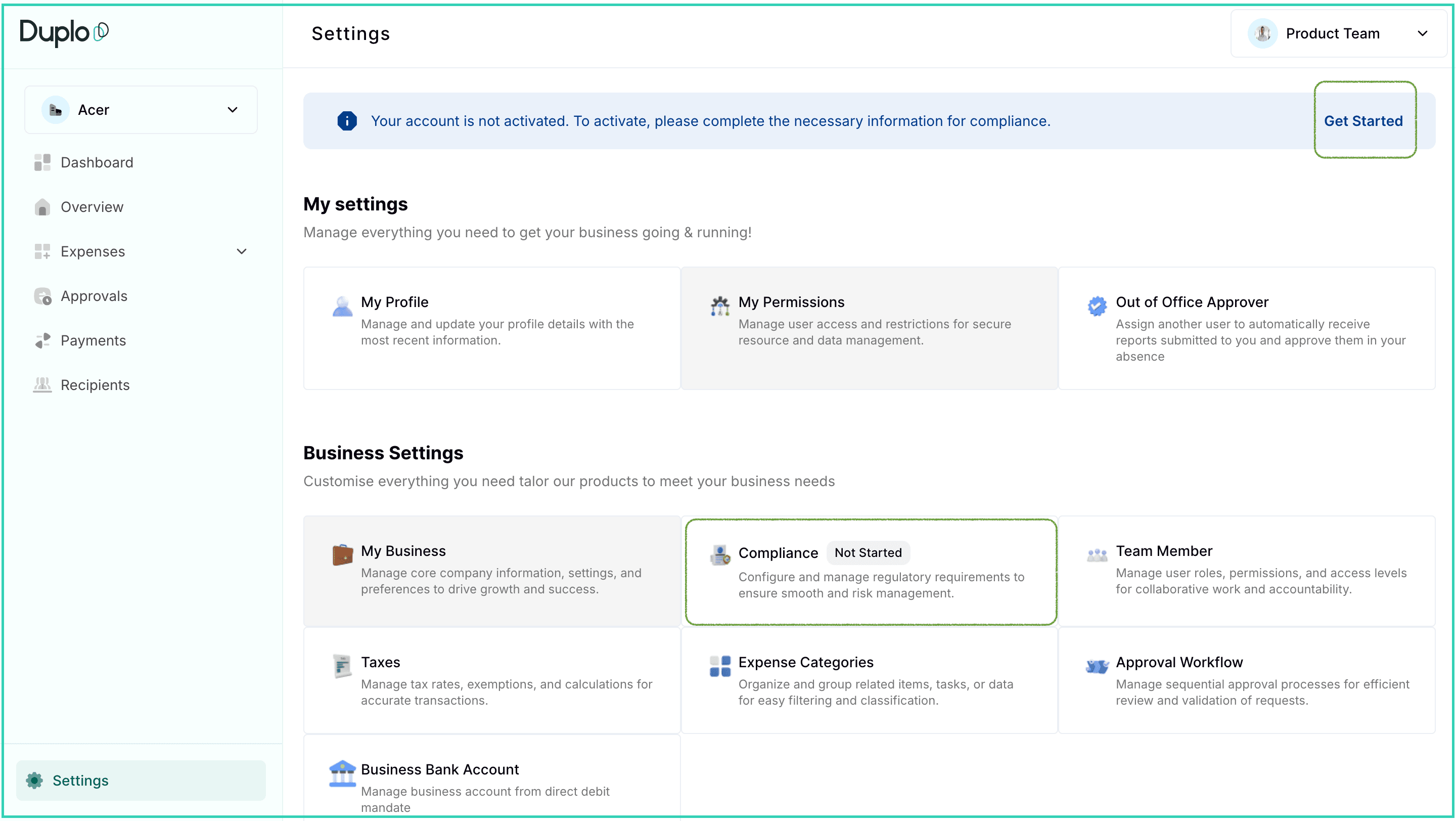
Click on "Settings."
-
Click Compliance, or click Get Started in the blue banner at the top of the screen.
-
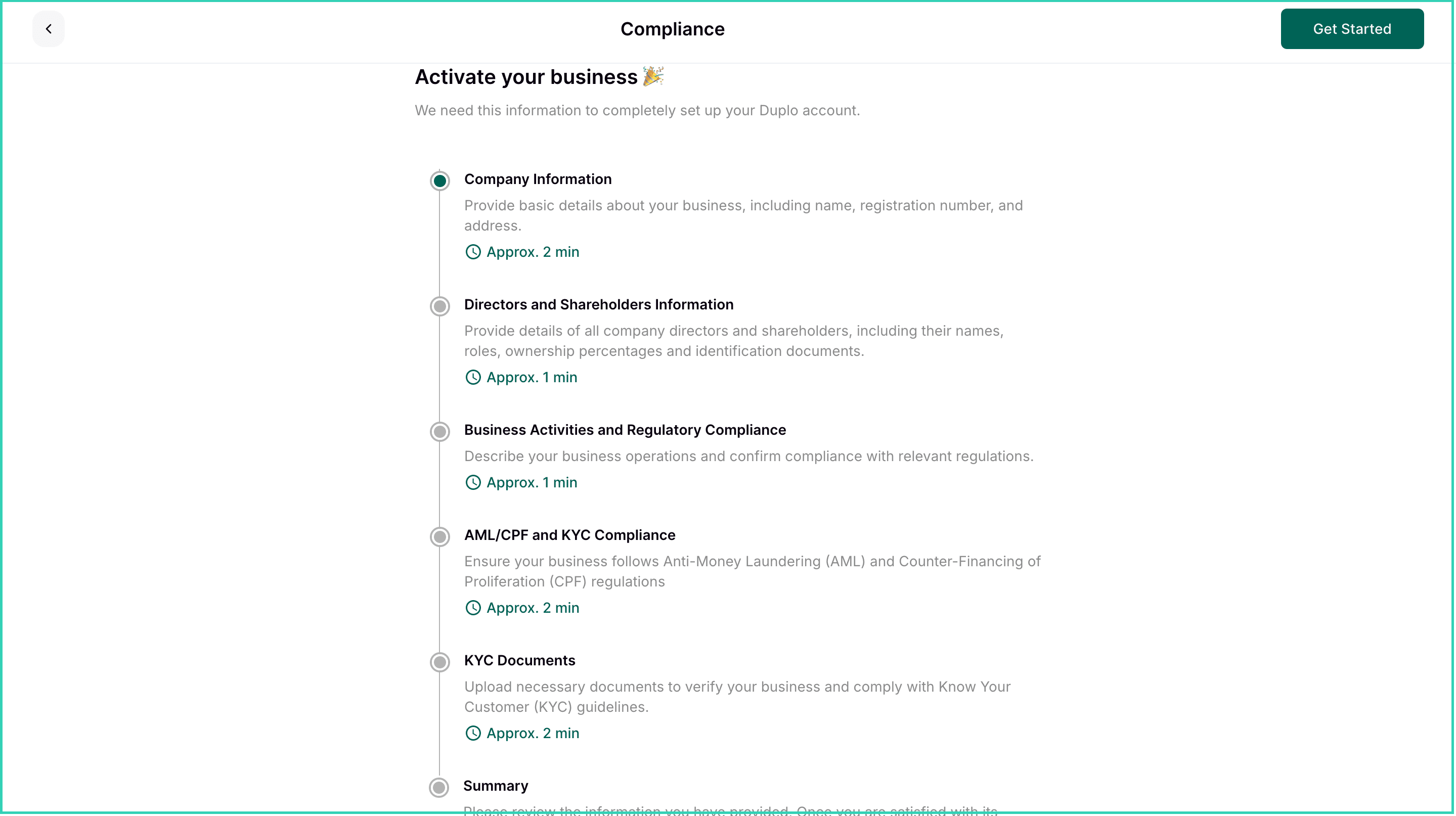
On the Compliance page, click Get Started, then fill in all the required fields. Review the information you have provided, and then click Submit.
-
You will receive an email regarding your submission.
-
Your business will be activated within 24 hours.
Congratulations! You've completed your business activation process. The process usually takes about 24 hours from submission to activation.
Frequently asked questions
Was this article helpful?
Related articles
Still need help?
Send a ticket to our support team and they will get back to you.