How to set up your account as an invited user
Accept your invitation and finish setting up your Duplo account.
Duplo Dashboard · How-to guides · Nigeria only · Last updated
Welcome to Duplo! As an invited user, completing your account setup is quick and easy. This guide will walk you through the process of finalizing your Duplo account, ensuring you can collaborate seamlessly with your team. By following these simple steps, you'll be ready to streamline your workflow and securely access the features relevant to your role.
Let’s dive in!
Before you begin
- Your company's admin or a user with access to the team member tab should have sent you an invitation. Learn how to invite a team member.
- The invitation will be sent to the email address you'll use for onboarding.
Steps
-
Log into your mail service provider
-
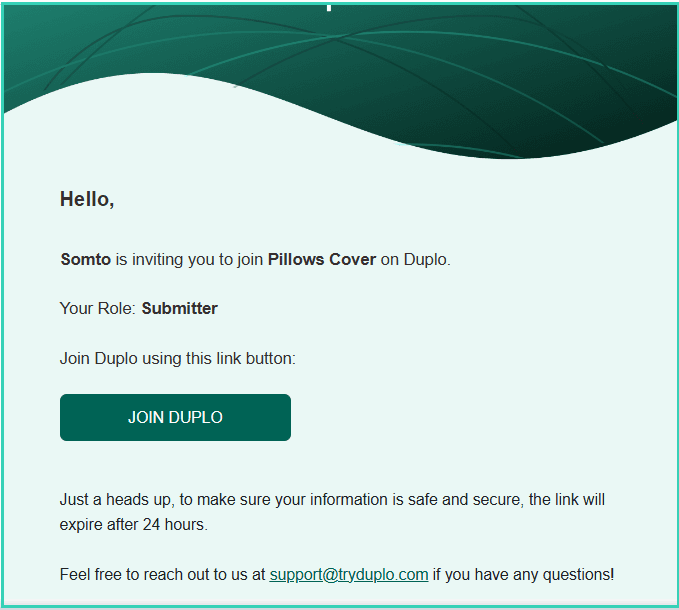
You should receive an email as shown below:
-
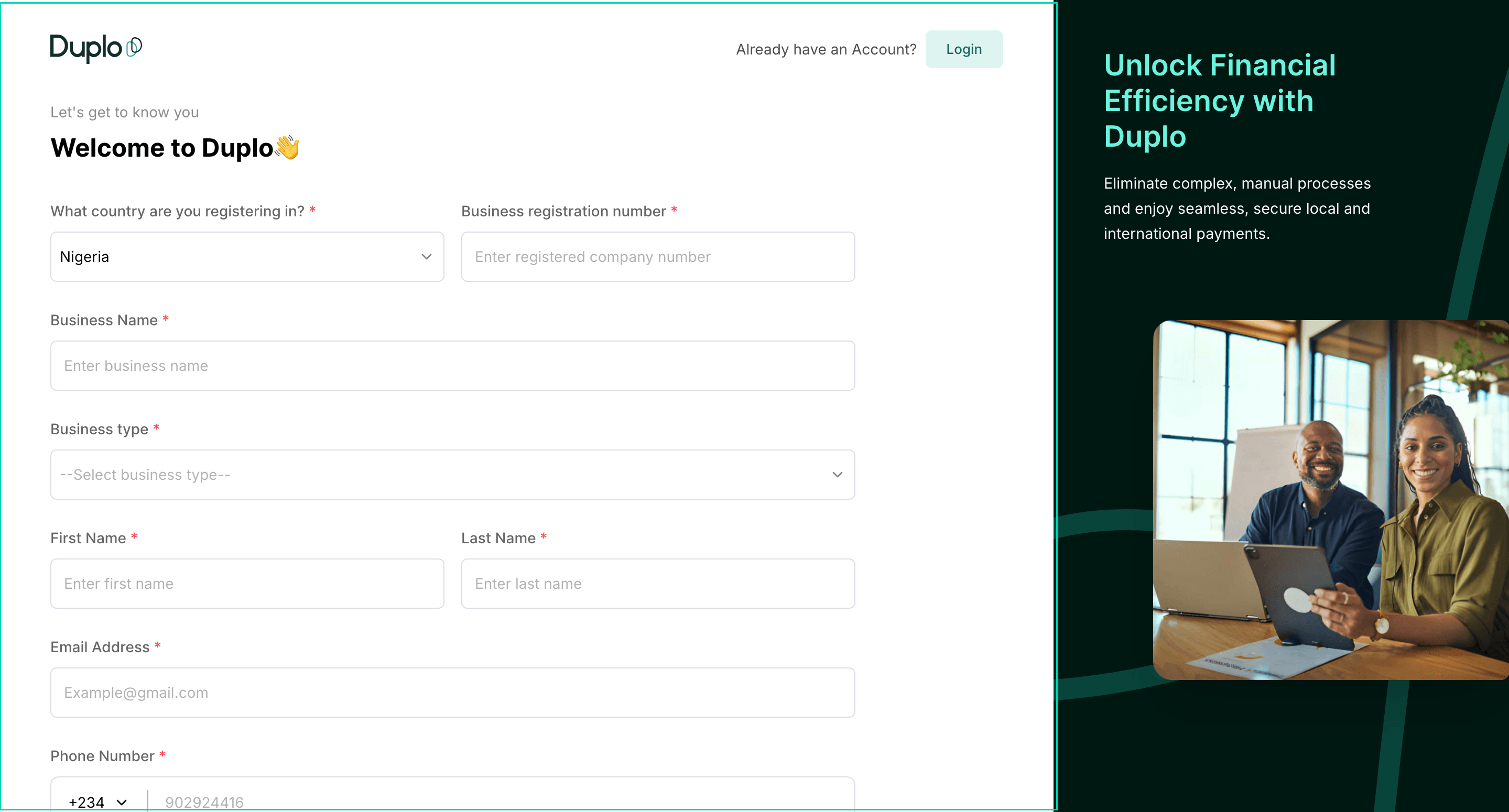
Click on Join Duplo, it will redirect you to a page as shown below:
-
Fill in the required information like your first name, last name, phone number, your password, and click continue to complete the process.
Congratulations! You've completed the onboarding process as an invited user. You can now sign in to your Duplo account.
Frequently asked questions
Was this article helpful?
Related articles
Still need help?
Send a ticket to our support team and they will get back to you.