How to set up an extra layer of security
Change how Duplo verifies it's you when you sign in.
Duplo Dashboard · How-to guides · Nigeria only · Last updated
Protecting sensitive information requires more than just a strong password. Implementing additional security measures ensures your account remains secure, even if your password is compromised. This guide outlines the steps to enable enhanced security features that verify your identity and prevent unauthorized access
Let’s get started
Steps
Note: As long as you are a user on the Duplo dashboard, an extra layer of security will be required when signing in. This has been set by default to your email after onboarding.
This guide will show you where to change that default setting and add an extra security layer.
-
Log in to Duplo Dashboard
-
Click on “Settings”
-
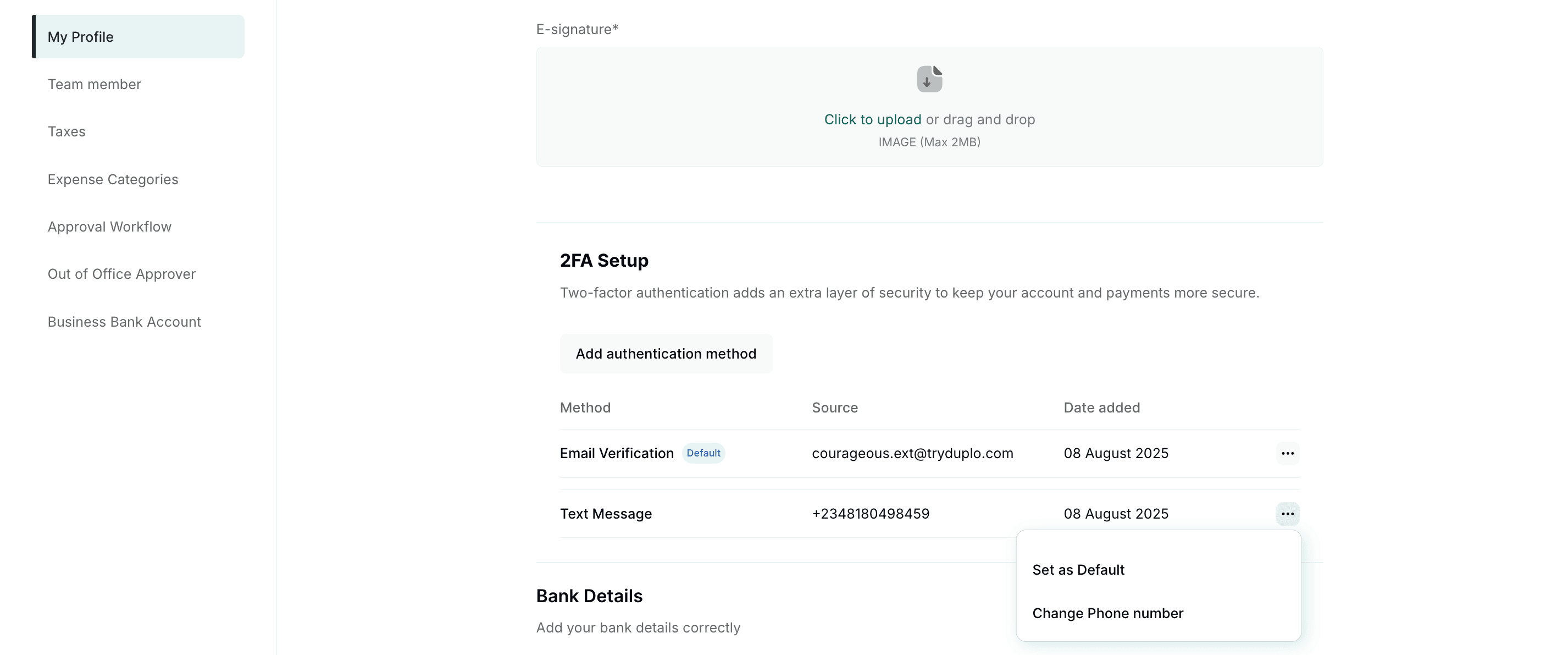
Click on “My Profile,” scroll down to the “2FA” section as shown below:
-
You will see your current default authentication method displayed. To change this default, click on the three dots beside your preferred authentication method.
-
Click on "Add authentication method"
-
Select the method you want to add from the available options.
-
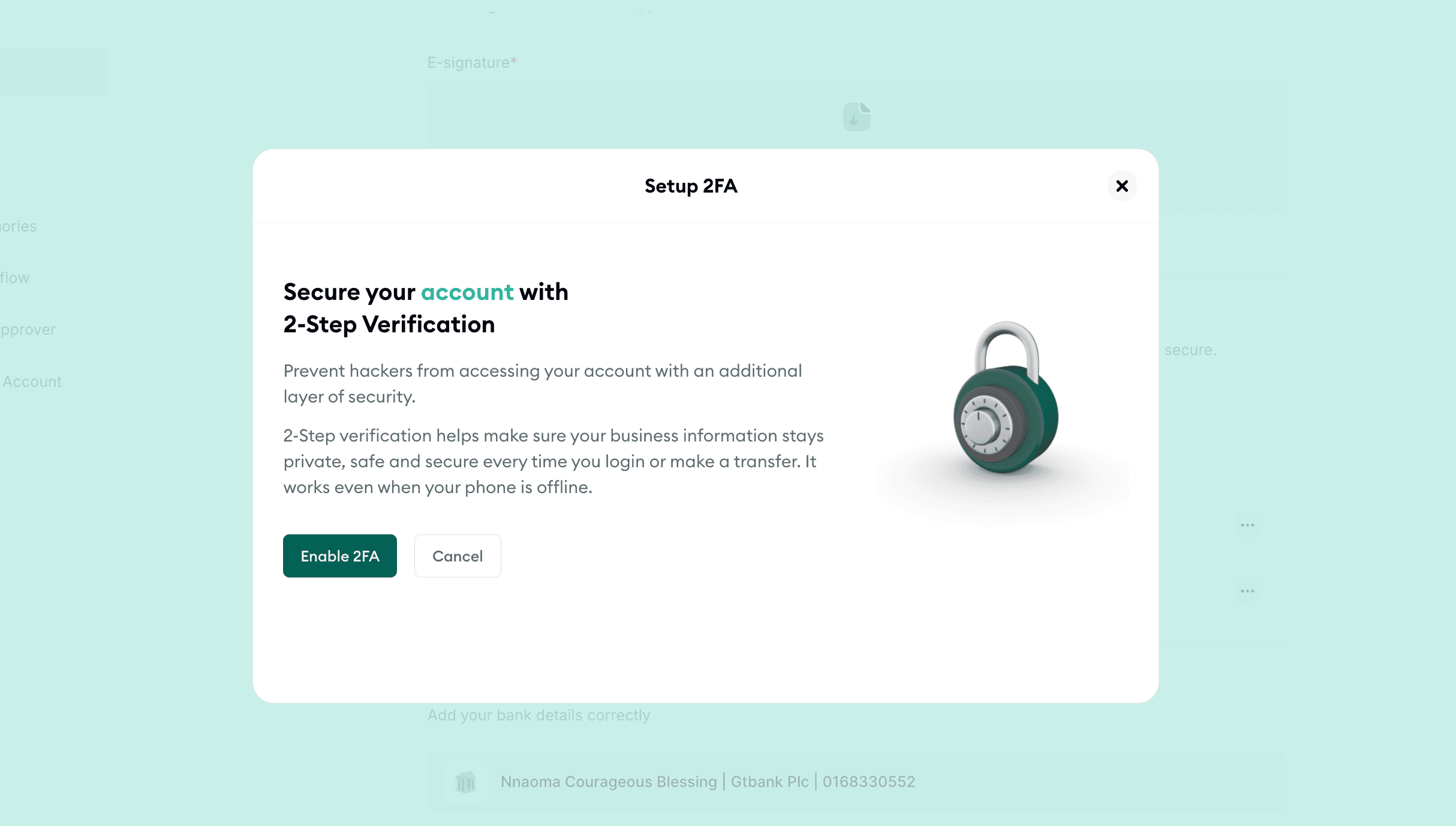
After selection, a new screen will appear as shown below. Click on "enable" and follow the on-screen instructions to complete the setup.
-
To set the newly added authentication method as your default, refer back to step 4
Was this article helpful?
Related articles
Still need help?
Send a ticket to our support team and they will get back to you.