How to upload your signature
Upload your signature so you can authorize transactions and documents.
Duplo Dashboard · How-to guides · Last updated
Uploading your signature on Duplo is quick and ensures seamless transaction and document authorization. This guide outlines the steps to upload your signature, enabling smooth approvals and ensuring compliance.
Let’s dive in!
Steps
-
Login to your Duplo Dashboard
-
Click on Settings
-
Click on My Profile
-
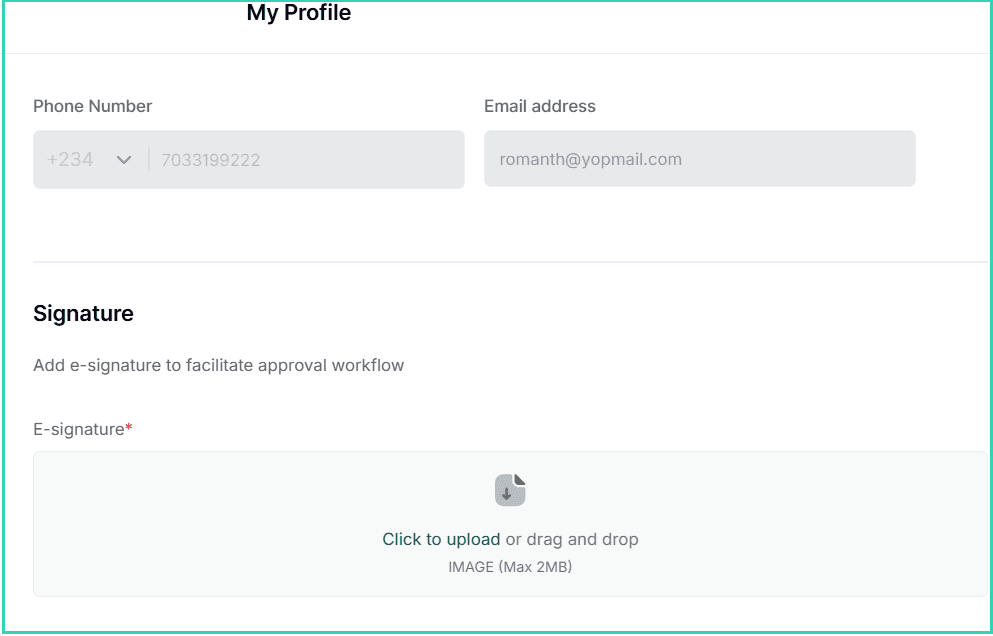
Scroll down to the Signature section and click on Upload, as shown below:
Congratulations! You've successfully uploaded your signature
Was this article helpful?
Related articles
Still need help?
Send a ticket to our support team and they will get back to you.