 Duplo Dashboard
Restrict Your API Key
Narrow what your key can do with scopes, an IP allowlist, encrypted request bodies, and signed payment calls, and know the rate limit it runs under.
Every key is limited to the scopes you give it when you generate it. On top of that, three optional settings narrow what your keys can do: an IP allowlist, required request encryption, and signed requests for calls that move money. Set them from Settings › Developer API in Duplo Dashboard, the same page you generate keys from. The request rate limit is fixed and applies whether you configure anything or not.
The optional settings belong to you rather than to one key. They apply to every key you hold in that mode, including keys you generate later, and each teammate who generates keys sets their own.
Choosing scopes
A key can call only the endpoints its scopes cover. Choose the scopes when you generate the key, and give it only what the integration needs: a reporting job that reads expenses has no use for expenses:pay. You can give a key only the scopes your own role in Duplo Dashboard allows.
A few rules widen what a scope covers:
- A write scope also covers the read scopes in its group, so a key with
expenses:createcan also list and fetch expenses. - Any
e-invoicing:scope also covers the e-invoicing reference data endpoints. - Validate an API key, the countries endpoints, and Fetch banks need no scope.
Calling an endpoint the key's scopes do not cover returns 403 with API key is missing required scope, and the response's requiredScope names the scope it needs. Keys generated before scopes existed keep access to every endpoint; generate a new key to narrow one down.
| Group | Scopes |
|---|---|
| Business | business:accounts.read, business:currencies.read |
| Customers | customers:list, customers:get, customers:create |
| E-invoicing | e-invoicing:invoices.list, e-invoicing:invoices.get, e-invoicing:invoices.lookup, e-invoicing:invoices.confirm, e-invoicing:invoices.recipient-lookup, e-invoicing:invoices.create, e-invoicing:invoices.update, e-invoicing:invoices.duplicate, e-invoicing:invoices.generate-irn, e-invoicing:invoices.validate, e-invoicing:invoices.sign, e-invoicing:invoices.submit, e-invoicing:invoices.resubmit, e-invoicing:invoices.transmit, e-invoicing:invoices.acknowledge, e-invoicing:invoices.reject, e-invoicing:invoices.mark-paid, e-invoicing:invoices.qr-code, e-invoicing:reference.read |
| NRS setup | firs-setup:status, firs-setup:connect |
| Expenses | expenses:list, expenses:get, expenses:create (also covers receipt uploads), expenses:pay |
| Expense categories | expense-categories:list, expense-categories:create, expense-categories:update |
| Taxes | taxes:list, taxes:get, taxes:create, taxes:update, taxes:deactivate, taxes:reactivate |
| Custom fields | custom-fields:list, custom-fields:get, custom-fields:write, custom-fields:delete |
| Departments | departments:list, departments:members.read, departments:create, departments:status, departments:members.write |
| Team members | team-members:list |
| Recipients | recipients:list, recipients:get, recipients:create, recipients:update, recipients:deactivate (also covers reactivating) |
| Payouts | payouts:list, payouts:get, payouts:overview.read, payouts:analytics.read, payouts:transfer.local |
| Banks | banks:accounts.verify |
Endpoints that create or change records act as the user who generated the key, and follow the same rules that user meets in Duplo Dashboard. A key from before keys had owners cannot call them, and gets 403 with This API key has no owning user.
Restricting by IP address
List the public addresses your integration calls from, and every other caller to the direct Spend API is turned away with a 403 and This IP address is not permitted to use this API key.
The setting is called IP Whitelist on the Developer API page. Open it, enter each address, and add them one at a time before saving. Up to 3 unique public IPv4 and IPv6 addresses are accepted. Private, loopback, link-local, reserved, and malformed addresses are rejected.
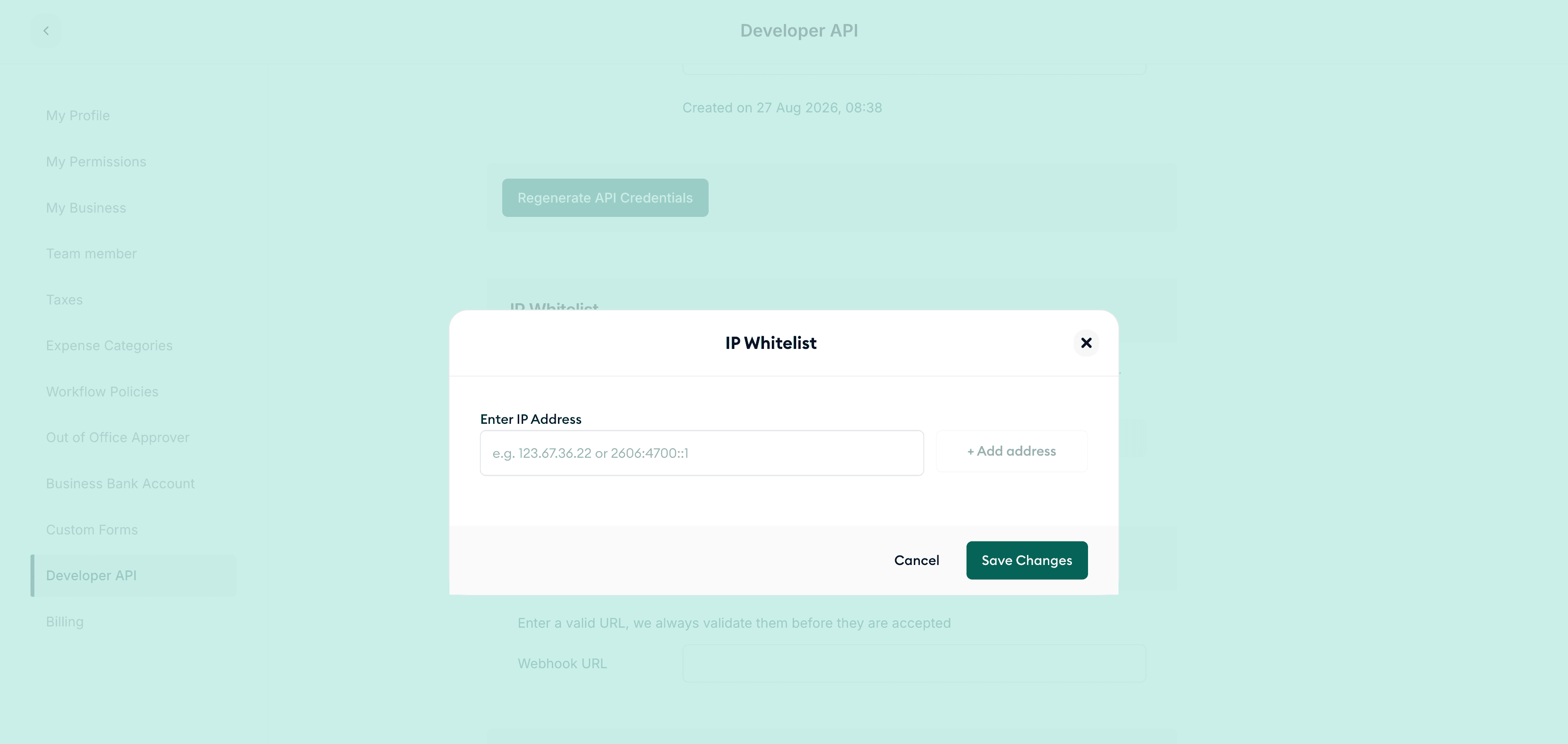
Leave the list empty, which is the default, and any address may use the key. Clearing a list you set earlier restores that. Addresses are compared in normalized form, so an IPv6 address saved in a different but equivalent notation still matches.
The allowlist is yours rather than your business's: it applies to every key you hold in that mode, including keys you generate later, while a teammate's keys follow their own list.
Custom-domain Gateway routes are outside this enforcement
This behavior applies to direct Spend API requests authenticated with
Authorization: Bearer <apiKey>. The same credential setting does not
currently restrict https://<label>.invoice.tryduplo.com requests, which
authenticate with x-api-key; Gateway does not carry a trusted original
client IP into Spend authorization. See Gateway webhook and network settings.
A malformed allowlist reads as a bad key
If the stored allowlist is corrupt, the credential is rejected outright and
every call returns 401 Invalid API key rather than a 403. If a key that
worked yesterday starts returning 401, re-save the allowlist from the
dashboard before assuming the key itself is wrong.
Requiring encrypted request bodies
Turn field-level encryption on and every request body must arrive as an encrypted envelope rather than plain JSON. You can switch it on or off whenever you like without rotating the key, because the client secret key that encrypts the envelope is issued alongside the API key either way.
Encrypt your requests covers how to build the envelope and what the failures look like.
Signing payment calls
Turn on signed requests and the endpoints that move money accept only calls signed with a private key you hold, so a leaked API key cannot pay anyone on its own. Sign your requests covers adding your public key and building the signature.
Rate limits
Rate limiting is not configurable: 100 requests per minute, counted per business per mode, on every endpoint. Test and live traffic are counted separately, so a test run cannot exhaust your live budget.
Exceeding the limit returns 429 and blocks the caller for a further 60 seconds. Back off rather than retrying straight into the wall, since retries during the block period extend nothing but your outage.
Related guides
How is this guide?
Last updated on