How to assign an out-of-office approver
Choose a team member to approve reports submitted to you while you're away.
Duplo Dashboard · How-to guides · Nigeria only · Last updated
Duplo Dashboard allows you to assign a team member to receive and approve reports submitted to you during your absence, ensuring uninterrupted workflow for your business account. This guide will show you how to set up an out-of-office approver on your Duplo account.
Let's dive in!
Steps
-
Log in to Duplo Dashboard
-
Click on Settings on the dashboard menu
-
Click on Out of office Approver
-
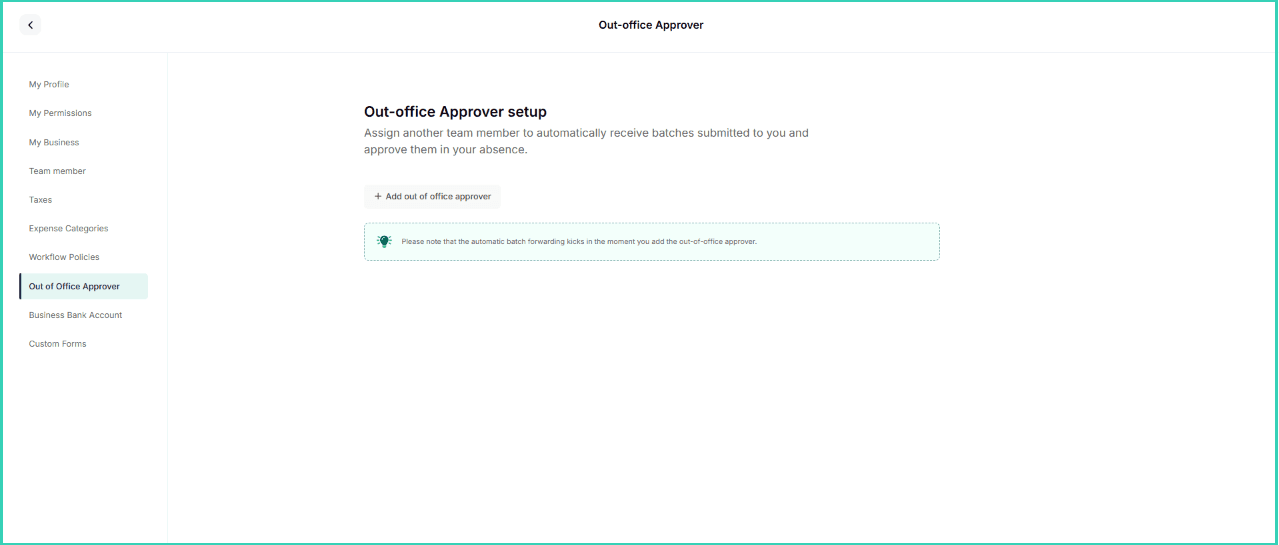
The following screen will appear. Click on Add out of office approver.
-
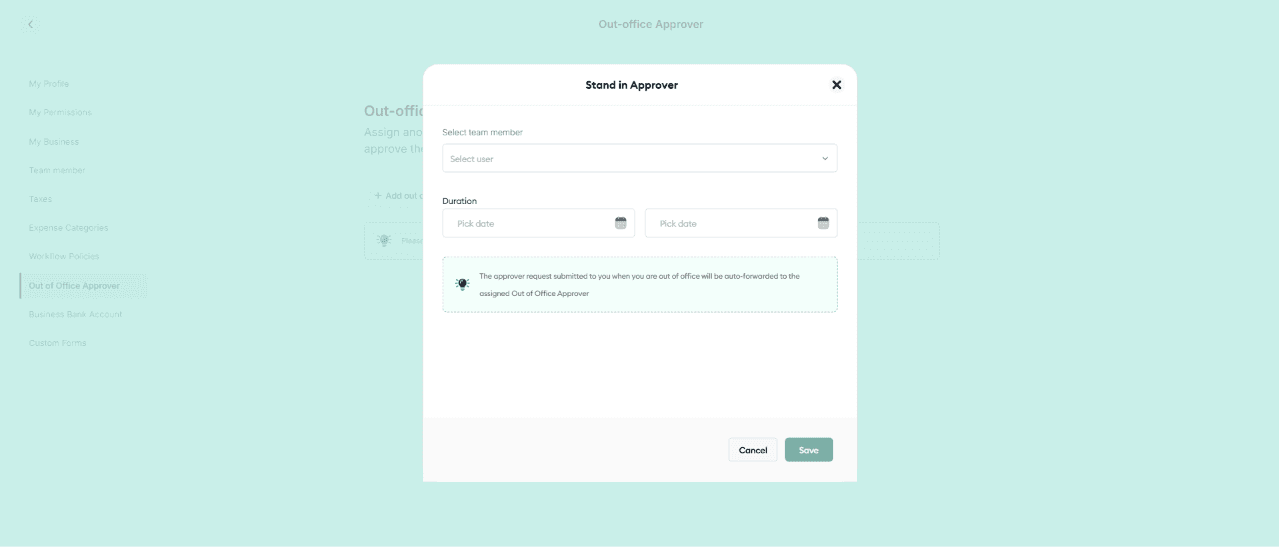
Select the team member who will handle your approvals while you are away and set the start date of your absence. The end date is optional, so you can leave it empty if you don't know when you'll be back. Click Save.
-
The name and the email address of the chosen team member as well as the duration of your absence will populate, as shown below.
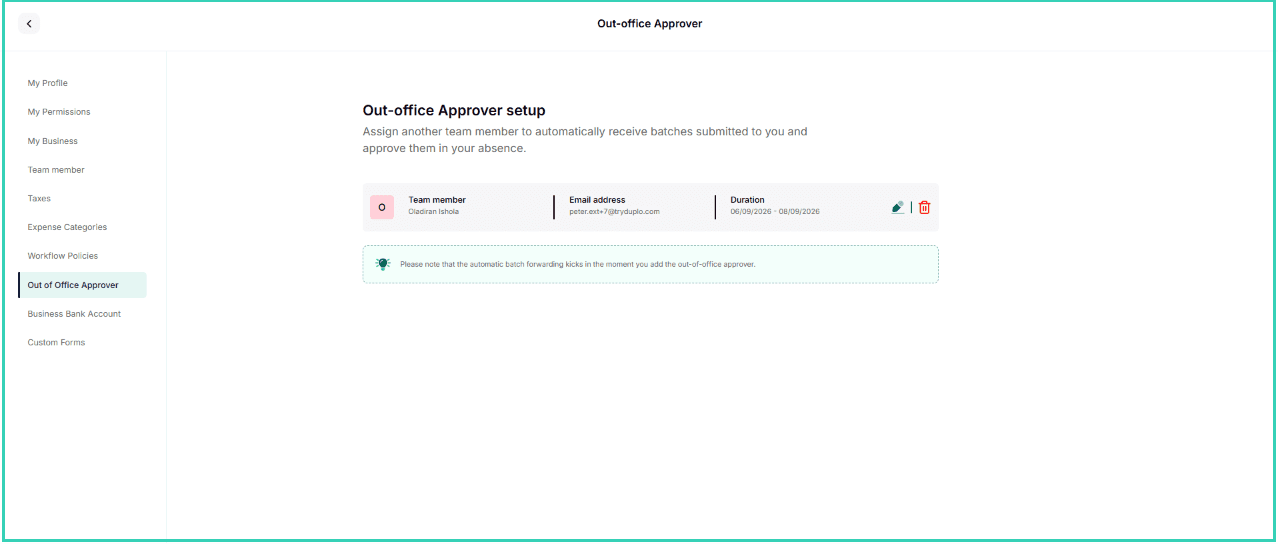
That's it! You have successfully assigned an out-of-office approver.
Was this article helpful?
Related articles
Still need help?
Send a ticket to our support team and they will get back to you.