How to create an expense account
Set up an expense account to allocate funds for specific purposes and track spending.
Duplo Dashboard · How-to guides · Nigeria only · Last updated
Expense accounts help businesses organize and manage their spending more effectively. With Duplo, creating an expense account is simple and efficient, enabling you to allocate funds for specific purposes and track expenses seamlessly. This guide will walk you through the steps to create an expense account, ensuring your financial operations stay organized and hassle-free.
Let’s dive in!
Steps
-
Log into your Duplo Dashboard
-
Click on Expenses and select Accounts
-
Click on the plus(+) sign beside the overview and click on Add New Expense Account. As shown below:
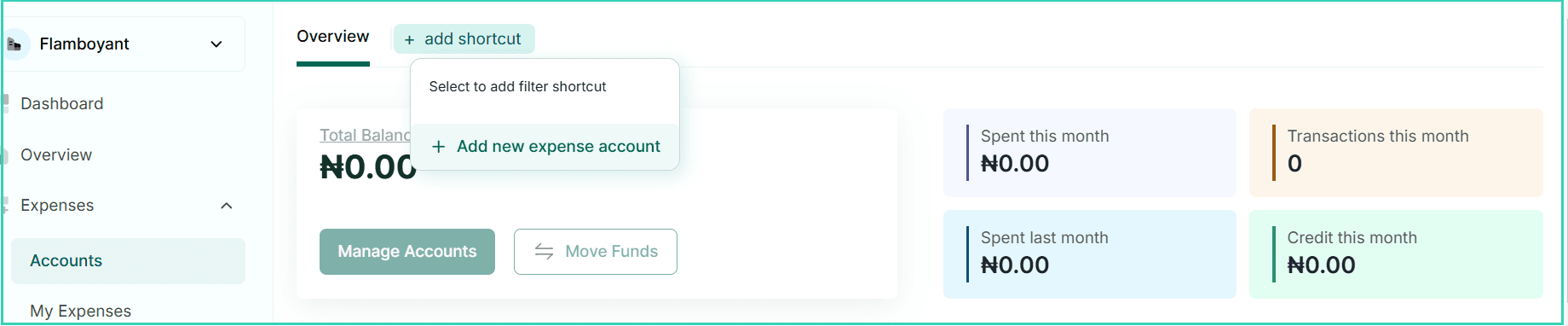
-
You will be redirected to fill out the form shown below. Once done click on Create to finish the process.
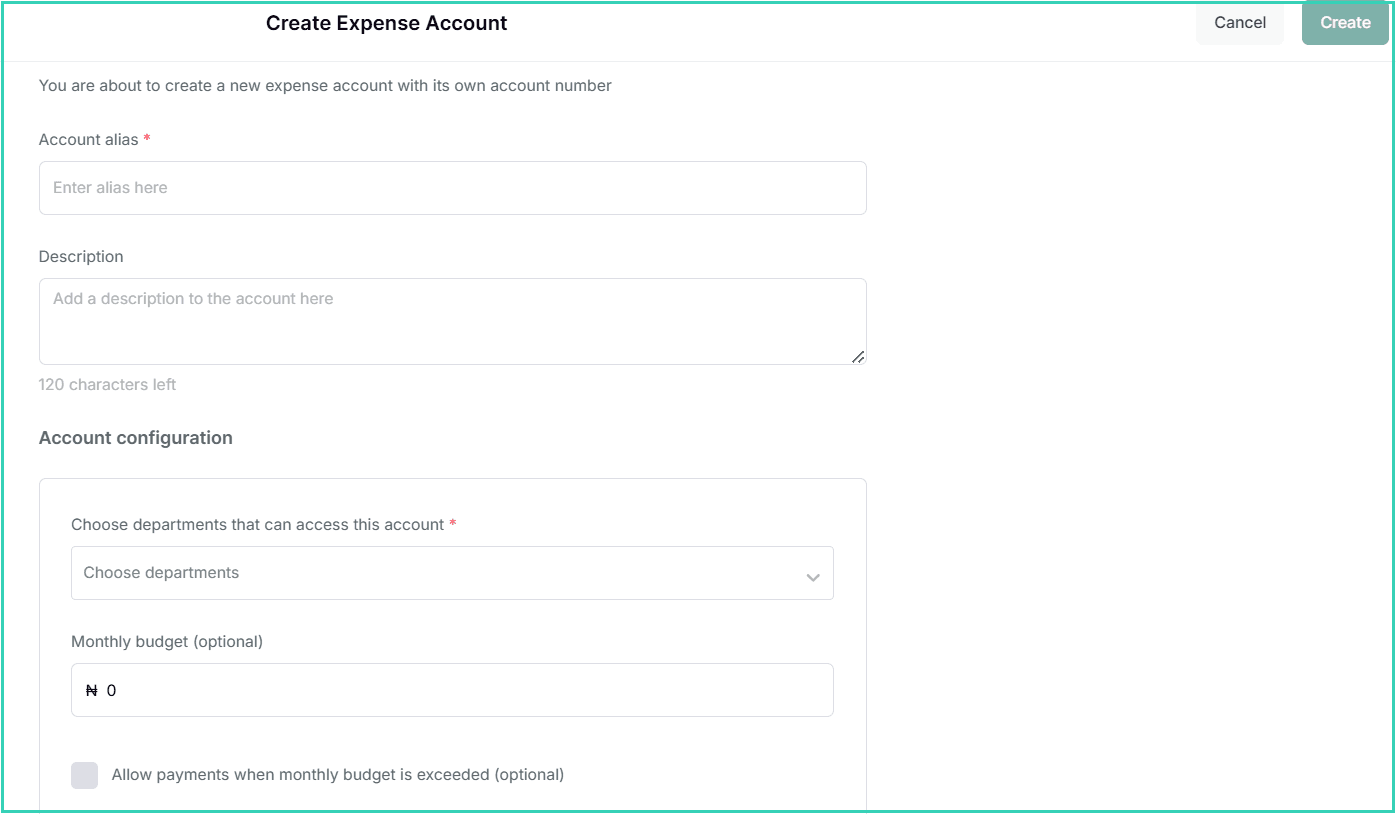
Congratulations! You've successfully created an expense account. Next, learn how to fund your expense wallet.
Video guide
Watch the video below for a step-by-step walkthrough on how to create an expense account.
Frequently asked questions
Was this article helpful?
Related articles
Still need help?
Send a ticket to our support team and they will get back to you.