How to make multiple expense payments
Pay several approved expenses at the same time.
Duplo Dashboard · How-to guides · Nigeria only · Last updated
The multiple expense payment feature lets you settle several expenses at once, making payment management more efficient and reducing manual work.
You can select approved expenses, initiate bulk payments, and maintain accurate financial records, all without processing each expense individually. This guide walks you through reviewing, selecting, and completing multiple expense payments. Let's get started!
Steps
-
Log in to Duplo Dashboard
-
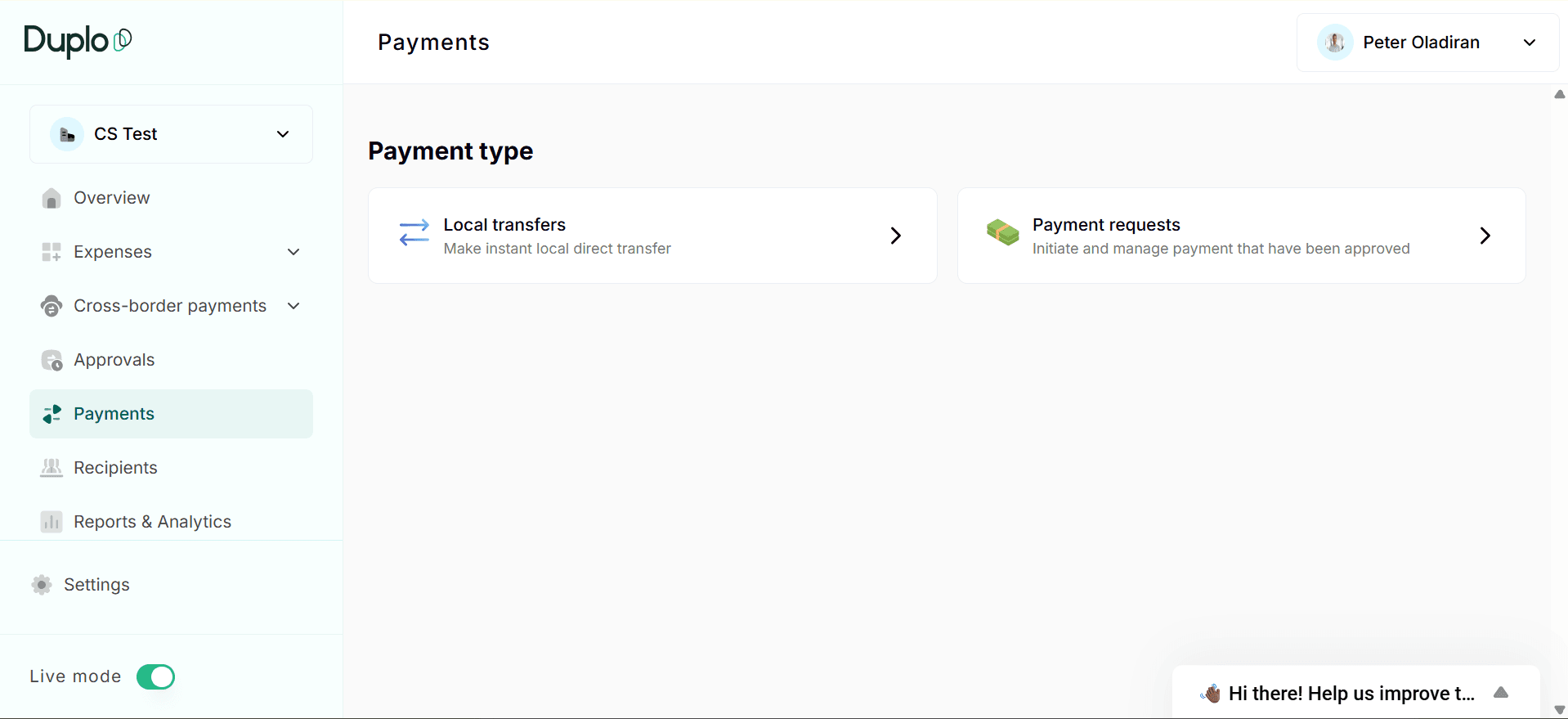
Click on "Payments"
-
Select “Payment request” as shown below:
-
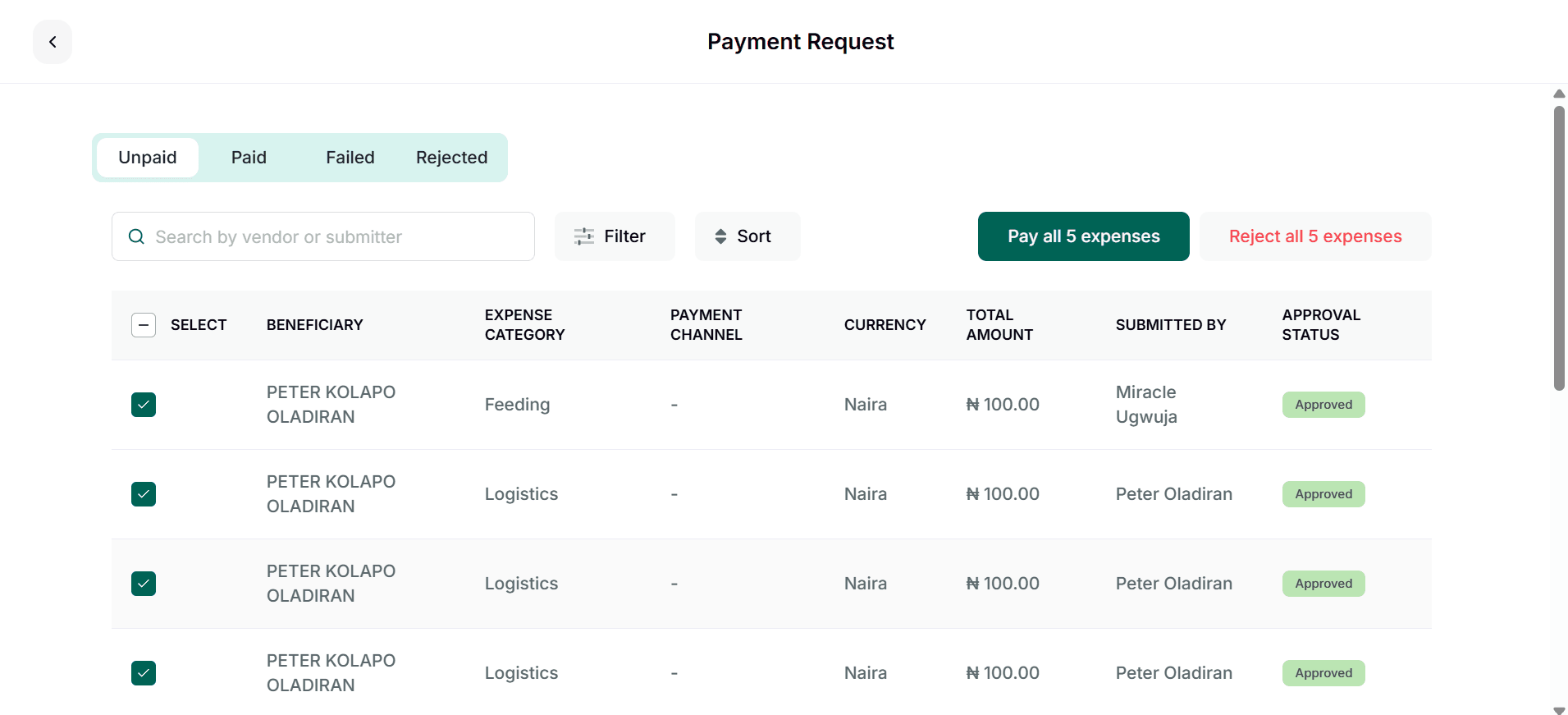
In the unpaid tab of payment requests, select all the expenses you want to pay out and click Pay all 5 expenses (or however many you've selected), as shown below:
-
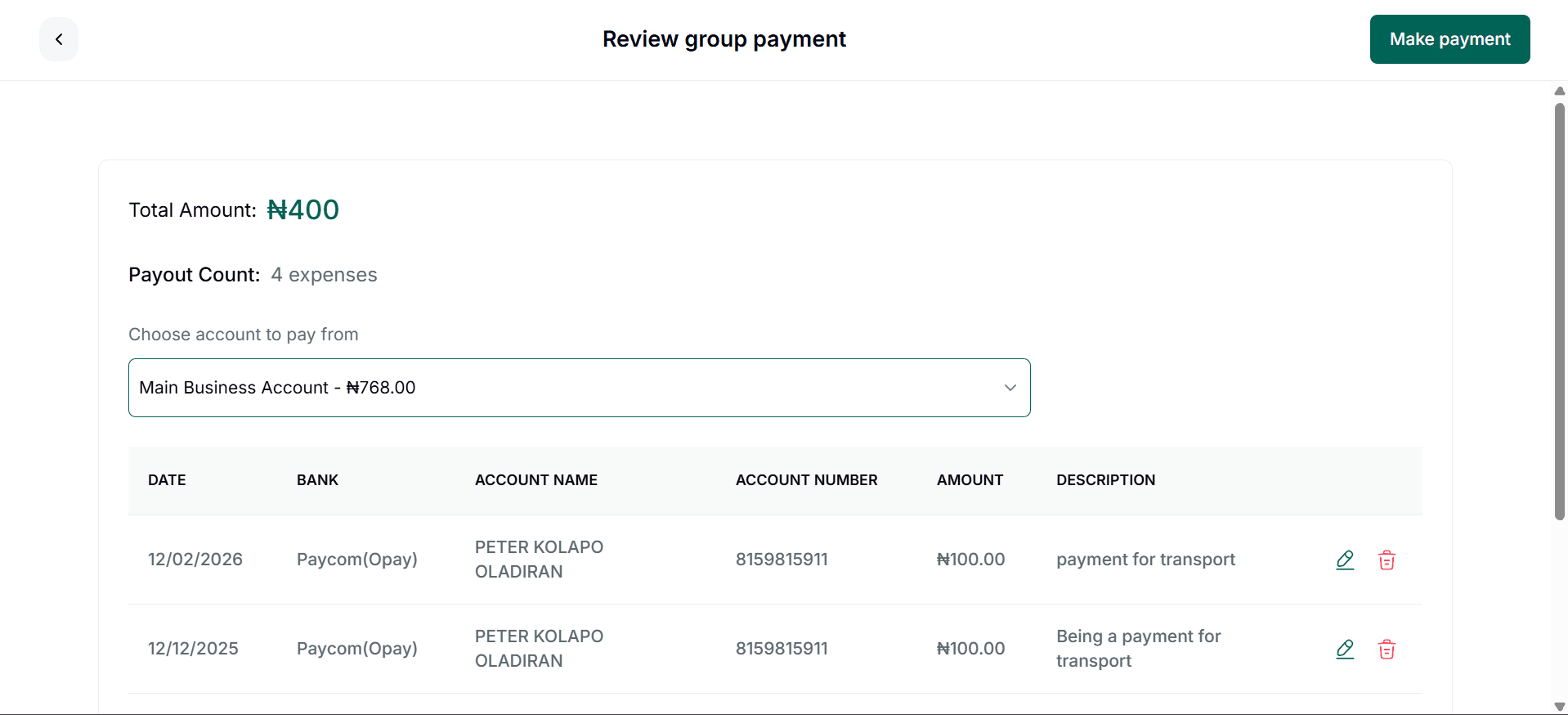
On the next page, review the payment summary.
-
Select accounts to pay from either the Main Business Account or Expense Accounts
-
Click on Individual Expense to view details or the Edit button on each one to edit tax information.
-
Click “Make payment.”
-
Enter the one-time password (OTP) from your preferred authentication method and finalize the process by clicking “Complete transaction”.
And that’s it! You have just made a bulk expense payment.
Frequently asked questions
Was this article helpful?
Related articles
Still need help?
Send a ticket to our support team and they will get back to you.